AI-Era Visibility · AI search · AI SEO · AEO · Checklist
AI search optimization: how to optimize your website for AI search
 Eimantas KazėnasFounder, RevflowsUpdated Published
AI search optimization means making your website easy for AI tools like ChatGPT, Perplexity, Copilot and Google's AI Overviews to read, understand and trust. Let their crawlers in, put clear answers and specific facts in plain text on the page, and make sure other sites say the same things about you.
Key takeaways
- Let AI crawlers in: Googlebot, Bingbot, OAI-SearchBot and PerplexityBot, in robots.txt and your firewall.
- Put key facts in plain text on the page. Not only in images, PDFs or closed tabs.
- Answer the main question in the first two sentences, with a specific fact.
- Make your website, Google Business Profile and Bing Places say the same thing.
- Skip the tricks. Google says no special files or markup are needed.
Your website now has two kinds of visitors: people, and AI tools reading on their behalf.
AI search optimization means making your site easy for AI tools like ChatGPT, Perplexity, Copilot and Google’s AI Overviews to read, understand and trust. Then they can name your business in their answers.
Microsoft’s search team put the shift in one line:
“In today’s world of AI search, it’s not just about being found, it’s about being selected.”
This is the website checklist. For the big picture, read what is AEO first. If the terms confuse you, see AEO vs SEO vs GEO.
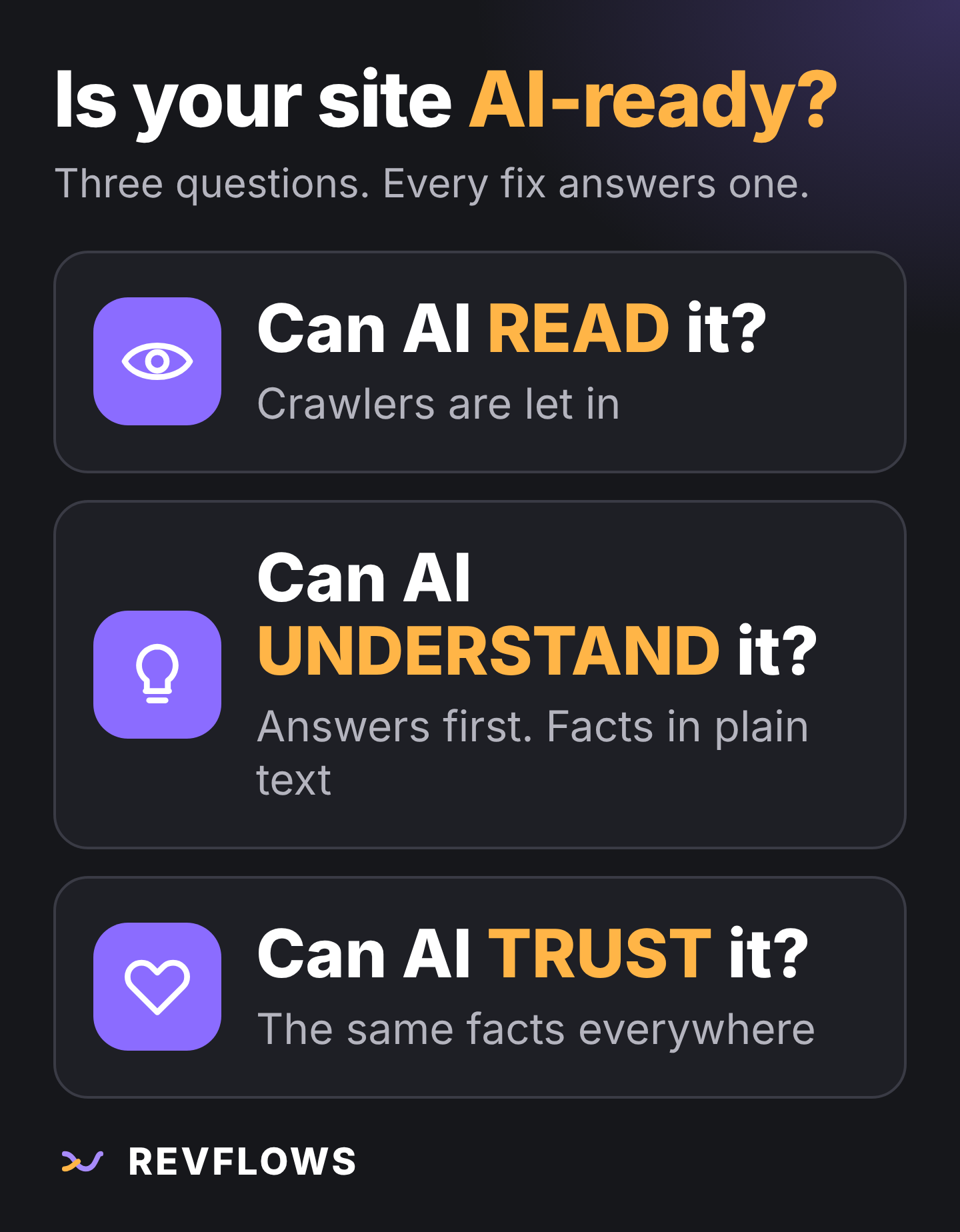
Part 1: Can AI tools read your site?
If a tool can’t read a page, nothing else on this list matters.
1. Let the right crawlers in
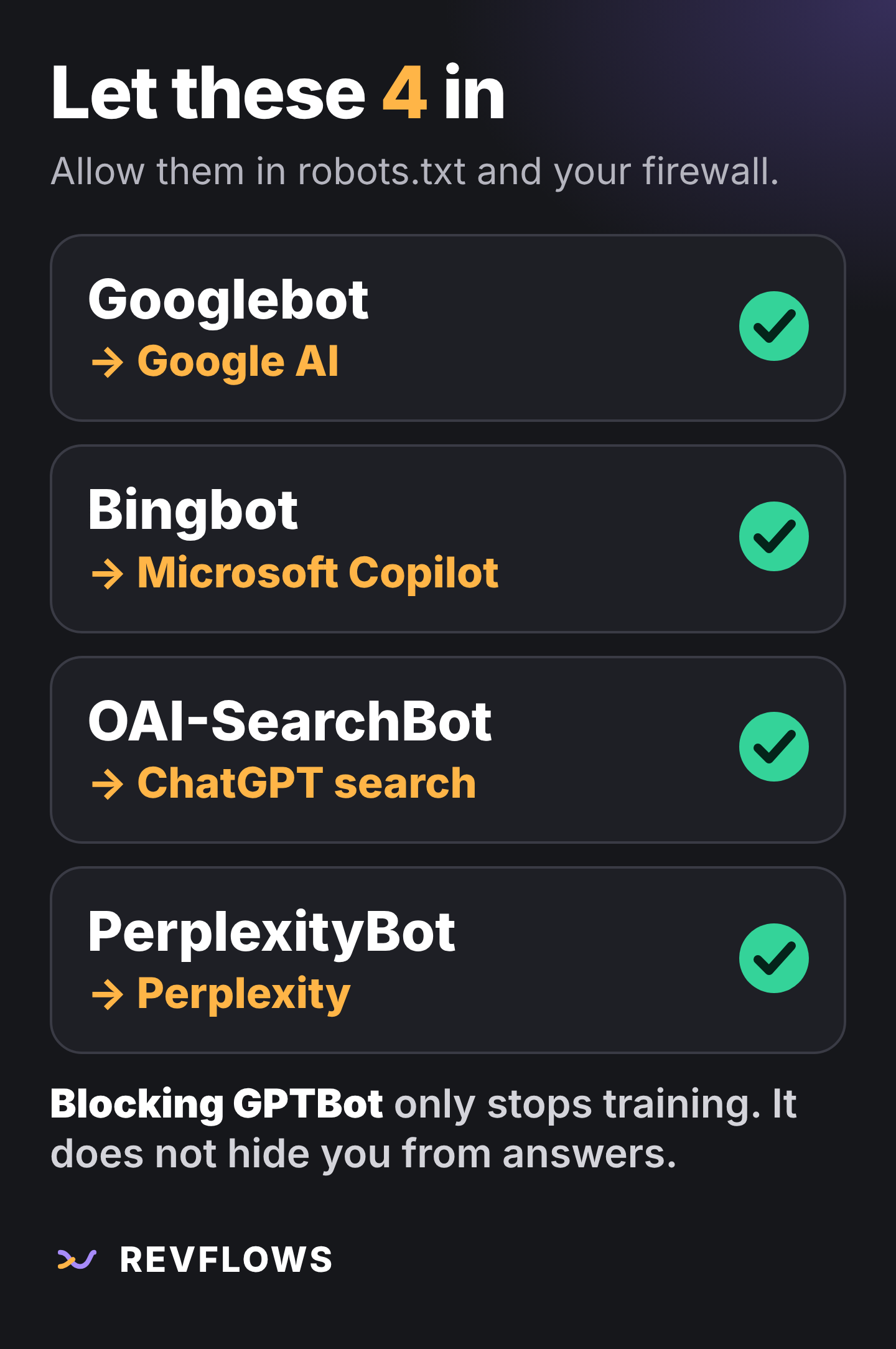
A crawler is a program that reads web pages for a search engine or AI tool. Each AI tool uses its own. Check your robots.txt file (yoursite.com/robots.txt, the file that tells crawlers what they may read).
| Crawler | Feeds | Allow it? |
|---|---|---|
| Googlebot | Google Search, AI Overviews, AI Mode | Yes |
| Bingbot | Bing and Microsoft Copilot | Yes |
| OAI-SearchBot | ChatGPT search answers | Yes |
| PerplexityBot | Perplexity answers | Yes |
| GPTBot | Training OpenAI’s models | Your choice |
Blocking training is a separate choice from appearing in answers. OpenAI says each of its settings is independent, in its crawler guide. You can block GPTBot and still allow OAI-SearchBot.
Perplexity describes its search crawler like this:
“PerplexityBot is designed to surface and link websites in search results on Perplexity. It is not used to crawl content for AI foundation models.”
2. Check your firewall, not only robots.txt
Many sites block AI crawlers by accident, through security settings at their host or CDN (the network that serves your site fast around the world).
Perplexity warns that Cloudflare’s Bot Fight Mode can still challenge its bots even when you have a rule to allow them. OpenAI recommends allowing requests from its published IP addresses. Ask whoever manages your hosting to check.
3. Put key facts in plain text
AI tools read text best. Prices inside a photo, a menu in a PDF, or answers hidden in a closed tab can get missed.
Microsoft’s guidance is direct:
“Don’t hide important answers in tabs or expandable menus: AI systems may not render hidden content, so key details can be skipped.”
4. Get indexed in Google and Bing
Google only uses pages in AI Overviews and AI Mode if they are indexed and allowed to show a snippet, per its AI features guide. Check your key pages in Google Search Console.
Do the same in Bing Webmaster Tools. Microsoft says Copilot is powered by Bing’s search index. Bing also supports IndexNow, a free way to tell search engines the moment a page changes. In Microsoft’s words, it helps keep information fresh across search and AI experiences.
Part 2: Can AI tools understand your pages?
AI tools don’t read a page top to bottom. They pull out short pieces that answer a question. Make those pieces easy to lift.
5. One page per service and per real question
“Our services” is not a page an AI can quote. “Teeth whitening in Phuket: price, time and aftercare” is.
Write one page for each service you sell and each question customers ask before buying. Find the questions in your sales calls, WhatsApp chats and contact forms.
6. Answer first, in the first two sentences
Put the direct answer at the top, in 40 to 60 words. Then add detail: who it is for, what is included, price, proof and how to book.
Use question-style headings, like “How much does a dental implant cost in Bangkok?”. Each heading should start one clear idea.
7. Be specific: numbers, names and places
Vague words give an AI nothing to repeat. Microsoft again:
“Avoid vague language. Terms like innovative or eco mean little without specifics. Instead, anchor claims in measurable facts.”
| Vague | Specific |
|---|---|
| “Affordable treatments” | “Implants from AUD 1,900, crown included” |
| “Experienced team” | “Dr Anh Nguyen, 12 years in implant surgery” |
| “Close to the beach” | “4 minutes’ walk to Kata Beach” |
These are examples, not real businesses.
8. Use lists and tables for comparisons
Steps, price lists and comparisons work best as numbered lists and tables. They are easy for people to scan and easy for AI tools to quote.
Don’t turn every line into a bullet. Use lists where the content really is a list.
9. Add schema that matches the page
Schema is code that labels facts on a page for machines: your business name, address, services, FAQs. It helps, but it is not a magic switch.
Google says there is no special schema needed for AI features, and that structured data must match the visible text, per its AI features guide. Label what you already show. Never mark up facts the page doesn’t state.
Part 3: Can AI tools trust you?
Before naming a business, answer engines compare sources. Give them several that agree.
10. Same facts everywhere
Your name, address, phone, hours, services and price ranges should read the same on your website, Google Business Profile, Bing Places and the directories in your industry.
One wrong phone number or old price makes an engine less sure. A less sure engine names someone else. Start from a single fact sheet, as in step 1 of our AEO guide.
11. Reviews and mentions on other sites
Recent reviews, press mentions, industry listings and forum answers all confirm that you exist and do what you say. Ask every customer for a review, not only the happy ones.
12. Cite your sources and keep pages fresh
When a page makes a claim, back it with a number and a source. In the GEO research paper’s lab tests, adding citations, quotes and statistics worked best of all the methods tried.
Show the date a page was last updated, and update price and service pages when anything changes.
What not to waste money on
Special AI files as a first step. Google is clear:
“You don't need to create new machine readable files, AI text files, or markup to appear in these features.”
An llms.txt file is cheap to add. Just don’t expect it to fix anything on this list.
Keyword stuffing. The GEO paper found it gave little to no improvement in AI answers.
Hundreds of thin AI-written pages. Google asks site owners to focus on unique, non-commodity content. Pages that repeat what every other site says give an AI no reason to pick you.
Your 30-minute first check
- Check crawler access. Open yoursite.com/robots.txt. Make sure Googlebot, Bingbot, OAI-SearchBot and PerplexityBot are not blocked. Ask your host about firewall rules.
- Check plain text. On your three key pages, find your prices, services, location and contact details as text.
- Check the first two sentences. Do they answer the page’s main question with a specific fact?
- Check your facts match. Compare your site, Google Business Profile and Bing Places.
- Ask an AI tool. Ask ChatGPT and Perplexity three customer questions with your city and service. Note who gets named.
Then track the same questions every month. Our guide to measuring AI search visibility shows how. For Google’s AI answers specifically, see how to appear in Google AI Overviews.
Our view
- Access first, content second, tools last. A tracking tool can’t fix a blocked crawler or a vague page.
- Write for the customer who asked. The page that answers a real buyer’s question clearly is the page AI tools quote.
- Consistency is cheap and underrated. Fixing your listings costs an afternoon and helps every engine at once.
Check where you stand
Free AI visibility check. Answer a few questions about your business and see where AI assistants are likely to skip you, and what to fix first.
Questions
What is AI search optimization?
AI search optimization is making your website easy for AI tools such as ChatGPT, Perplexity, Microsoft Copilot and Google's AI Overviews to read, understand and trust, so they name your business or link your pages in their answers. It is also called AEO, GEO or AI SEO.
Is AI SEO different from normal SEO?
It builds on normal SEO. AI tools find pages through search crawlers and indexes, so a site that is blocked, slow or not indexed cannot show up. On top of that, AI search rewards pages with direct answers, specific facts and details that other sites confirm.
Do I need an llms.txt file to show up in AI search?
No. Google says you don't need new machine-readable files or AI text files to appear in AI Overviews or AI Mode. An llms.txt file is cheap to add, but clear pages, open crawler access and consistent facts matter far more.
Which crawlers should I allow for AI search?
At minimum: Googlebot for Google's AI Overviews and AI Mode, Bingbot for Microsoft Copilot, OAI-SearchBot for ChatGPT search and PerplexityBot for Perplexity. Allow them in robots.txt and in your firewall or CDN settings.
Does schema markup help with AI search?
It helps machines label your facts, but it is not a shortcut. Google says no special schema is needed for its AI features, and that structured data must match what is visible on the page. Treat schema as tidy labelling of facts you already show.