AI Systems · Web design · Website redesign · SEO · How-to
Website redesign without losing SEO: the migration checklist
 Eimantas KazėnasFounder, RevflowsUpdated Published
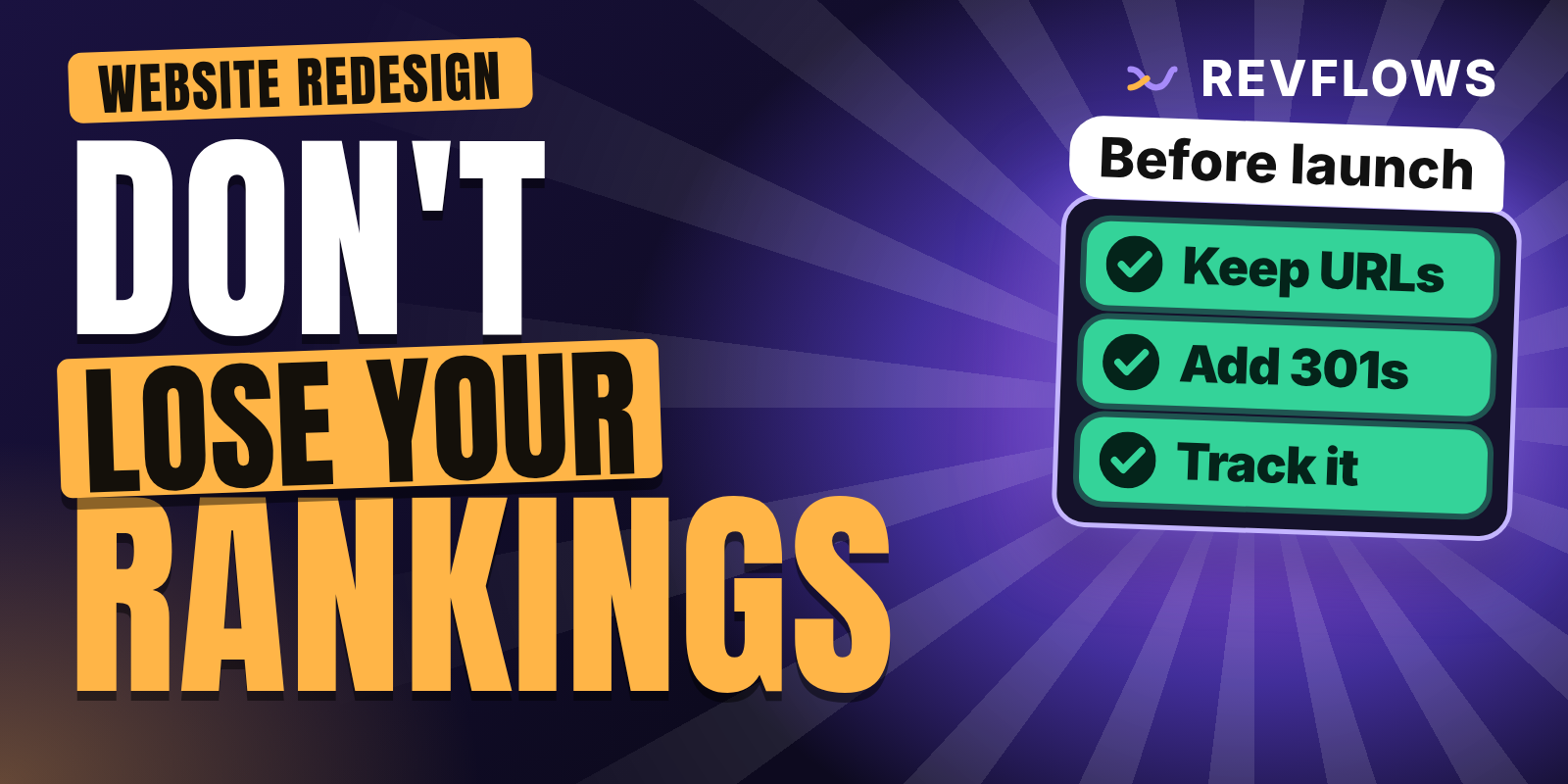
A website redesign keeps its Google rankings when every old page address is either kept or 301-redirected to its closest new page, the text that ranks moves across, and test-site blocks are removed at launch. Benchmark your traffic first, map every old URL to a new one, test on a hidden staging site, launch with redirects and a new sitemap, then watch Search Console for several weeks and keep the redirects for at least a year.
Key takeaways
- Redesigns lose rankings when page addresses change without redirects, when ranking text disappears, or when test-site blocks stay on after launch.
- Google says 301 redirects do not cause a loss in PageRank. Map every old URL to its closest new page.
- Never send everything to the home page. Avoid redirect chains.
- Expect a few weeks of movement for a small or medium site. Keep redirects for at least a year.
- Change one big thing at a time if you can: design, platform and domain are three separate moves.
A new website should bring in more customers. Too often it brings in fewer, because Google no longer finds the pages it used to send people to.
That loss is almost always avoidable. It comes from a short list of mistakes, and this checklist covers each one.
It is one part of our guide to web design for small business, which covers what a site needs to do before you rebuild it.
Why redesigns lose rankings
Google ranks pages, and each page is known by its address. When you change the address, Google has to learn the new one and decide it is the same page. A redirect tells it so.
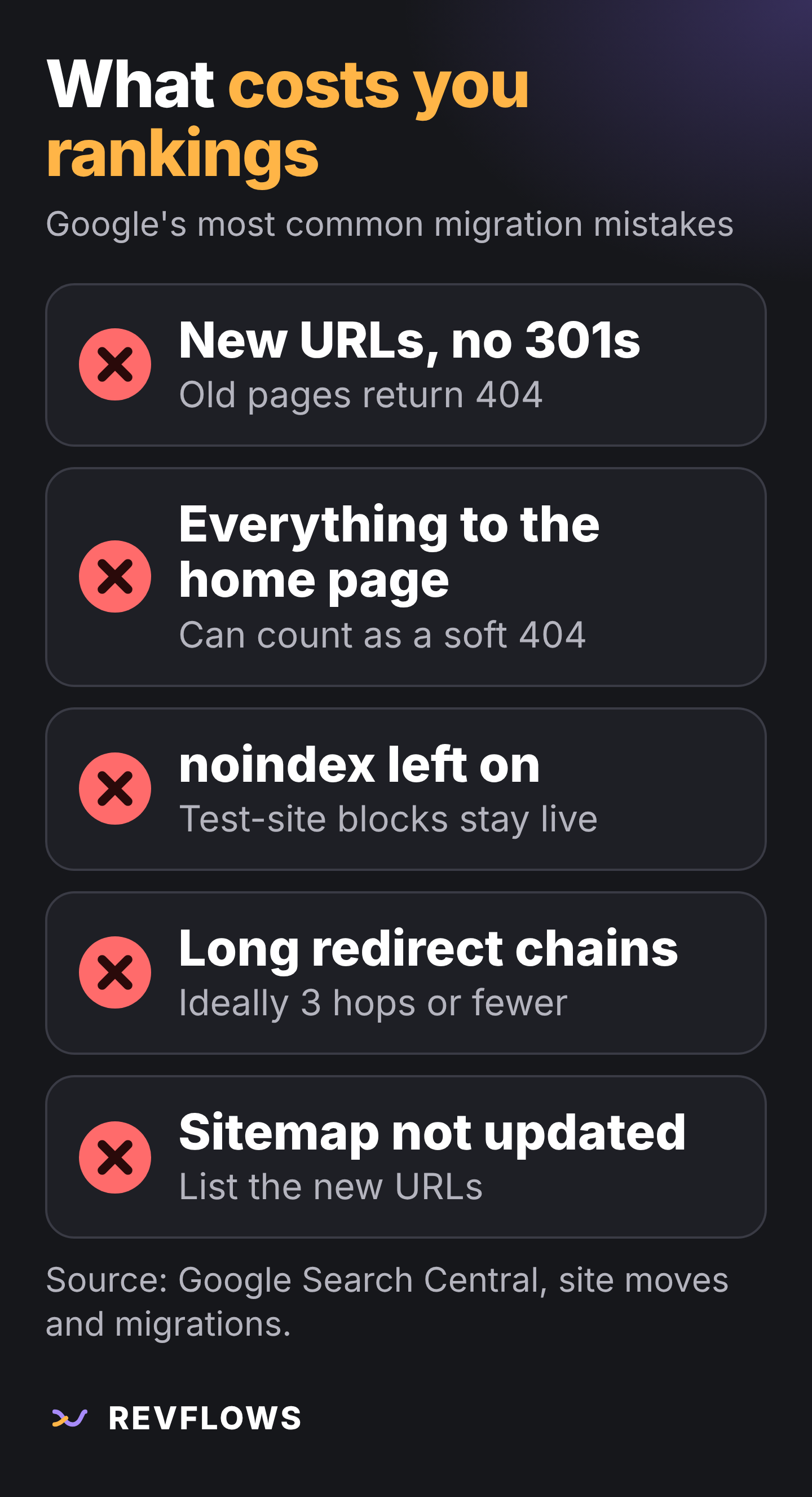
Most of the damage comes from six things:
- Old addresses return an error. The new site uses new page names and nothing points the old ones to them.
- Redirects go to the wrong place. Google says it often sees old URLs redirected to pages that do not exist on the new site.
- Everything is redirected to the home page. Google says this can be treated as a soft 404 error.
- Test-site blocks stay on. A
noindextag or a robots.txt block that was needed while building tells Google to stay away. - The text that ranked is gone. New copy, shorter pages or removed sections can drop a page out of the results.
- The new site is slower or harder to crawl. A heavy design can undo the gains of better looks.
What Google says about site moves
Google’s own guide to site moves and migrations is worth knowing in four points:
- Expect movement. Rankings can fluctuate while Google recrawls. For medium-sized sites, it can take a few weeks or more for Google to show the new URLs instead of the old ones. Larger sites take longer.
- 301 redirects are safe. Google says permanent redirects do not cause a loss in PageRank.
- Use server-side permanent redirects. Google recommends
301or308redirects from each old URL to the new one in your map. - Keep them for a year or more. Google says to keep redirects for as long as possible, generally at least one year.
Google also suggests changing one thing at a time. If you want a new domain, a new platform and a new layout, do them one after the other. That way, if traffic drops, you know which change did it.
The website redesign SEO checklist
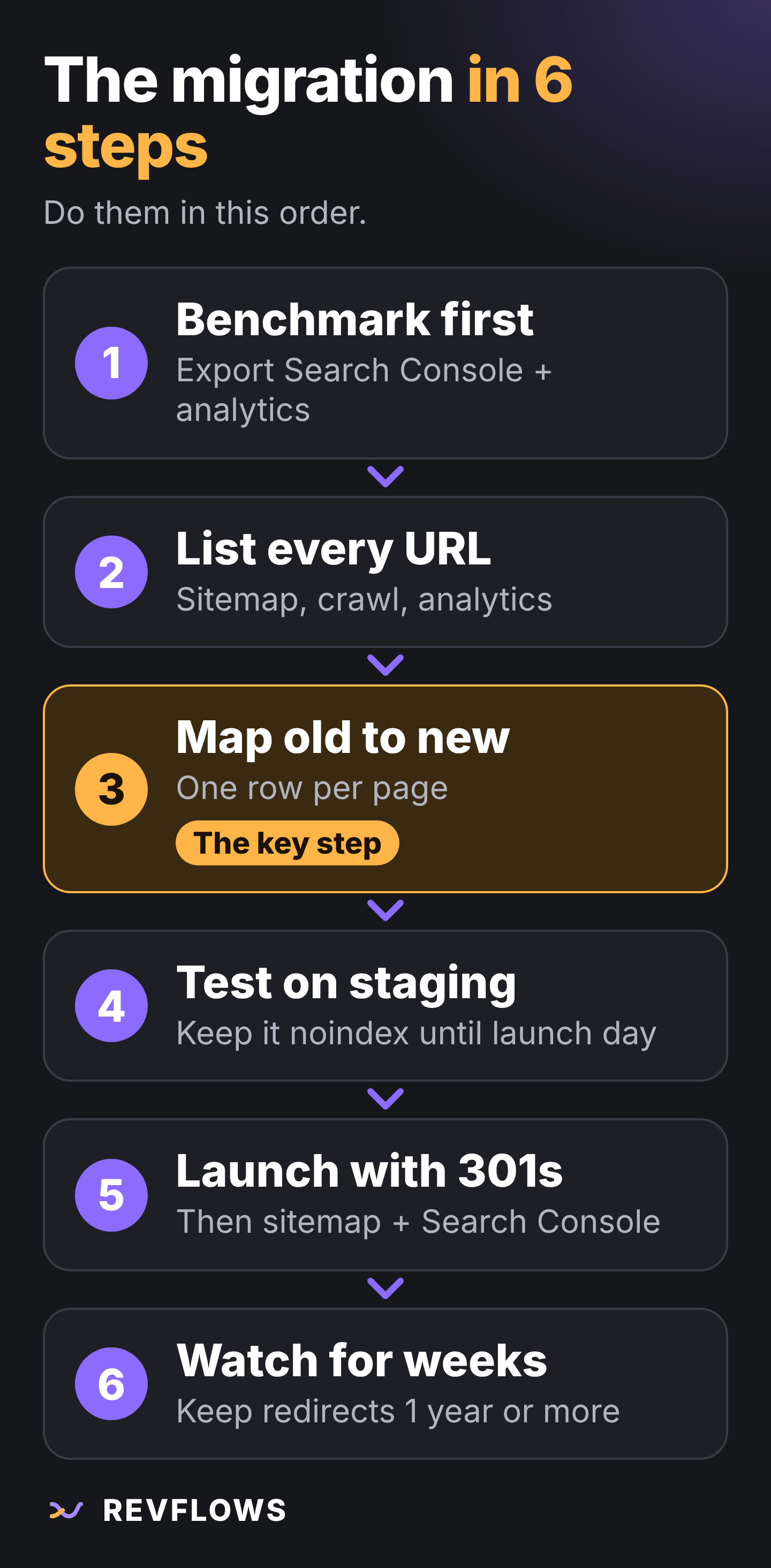
Do the steps in this order. Each one protects something the next one needs.
Before you build
1. Benchmark before you touch anything. Export your top pages, clicks, impressions and rankings from Google Search Console. Export traffic and your key events (bookings, calls, form submits) from your analytics. A key event is simply an action that matters to your business, which you mark in Google Analytics. Save both files. You will compare against them after launch.
2. List every URL on the old site. Start with the pages that matter most:
- your sitemap,
- the pages with the most traffic in your analytics,
- the pages with links to them, shown in Search Console,
- a crawl of the whole site. Screaming Frog’s SEO Spider is free for up to 500 URLs.
Include images and PDFs that get traffic, not just pages.
3. Map every old URL to a new one. Make a table with one row per old page:
| Old URL | New URL | What happens |
|---|---|---|
| /services/web-design.html | /services/web-design | 301 redirect |
| /about-us | /about | 301 redirect |
| /blog/2019/old-post | /blog/new-post | 301 redirect (merged post) |
| /old-promo-page | (none) | Returns 404 or 410 on purpose |
Three rules for the table:
- Keep the same address where you can. No redirect is needed if the URL does not change.
- Send each page to its closest equivalent. Not to the home page.
- If you delete a page, let it return a proper 404 or 410 error on the new site, as Google advises.
While you build
4. Build and test on a hidden staging site. Keep the new site out of Google with a noindex rule while you work. Before launch, check:
- every redirect in your map works, and goes straight to the final page,
- titles, headings and the main text of your top pages match, or are better,
- internal links use the new addresses,
- each page has its own canonical tag pointing to itself,
- the site is fast on a phone. Google’s target is the main content in 2.5 seconds or less. Our web design guide explains how to hit it.
Write down every block you added for testing. Each one has to come off on launch day.
On launch day
5. Launch with 301 redirects and a new sitemap. On launch day:
- Remove the
noindexrules and any robots.txt block. - Switch on the 301 redirects.
- Check that canonical tags use the new URLs.
- Test the redirects with a crawl, or with Search Console’s URL Inspection tool.
- Submit the new sitemap in Search Console.
- Update your own links: internal links, social profiles, email signatures and ad links.
Also make sure the server can cope. Google says it crawls a new site more heavily than usual after a move, because old URLs now redirect to the new ones.
After launch
6. Watch for weeks and keep the redirects. Check Search Console every day for the first week. Look for a jump in “Not found” errors, pages dropping out of the index, and redirects that point to missing pages. Then check weekly for a month, and compare clicks to your benchmark.
Keep every redirect for at least a year.
Redirect rules that matter
| Do | Don’t |
|---|---|
| Use a server-side 301 (or 308) redirect | Use JavaScript redirects unless you have no other option |
| Redirect each old page to its closest new page | Redirect many pages to the home page |
| Point straight to the final address | Chain redirects. Google can follow up to 10, but advises ideally no more than 3 |
| Redirect images and PDFs that get traffic | Forget non-page URLs |
| Keep redirects for a year or more | Remove them after a few weeks |
If your site moves to a new domain or subdomain, also file a Change of Address request in Search Console for each verified version of the old site. You do not need it when only the paths change on the same domain.
What to keep when you redesign
A redesign is a good time to improve a page. It is a bad time to rewrite everything at once. For each page that ranks, keep:
- the main topic and the words people search for in the title and headings,
- the main text that answers the question, or a better version of it,
- the page address, if possible,
- the structured data and image descriptions,
- the links people and other sites rely on.
Pages with no traffic and no links are safe to merge or remove. Pages with both are not.
After launch: what is normal and what is not
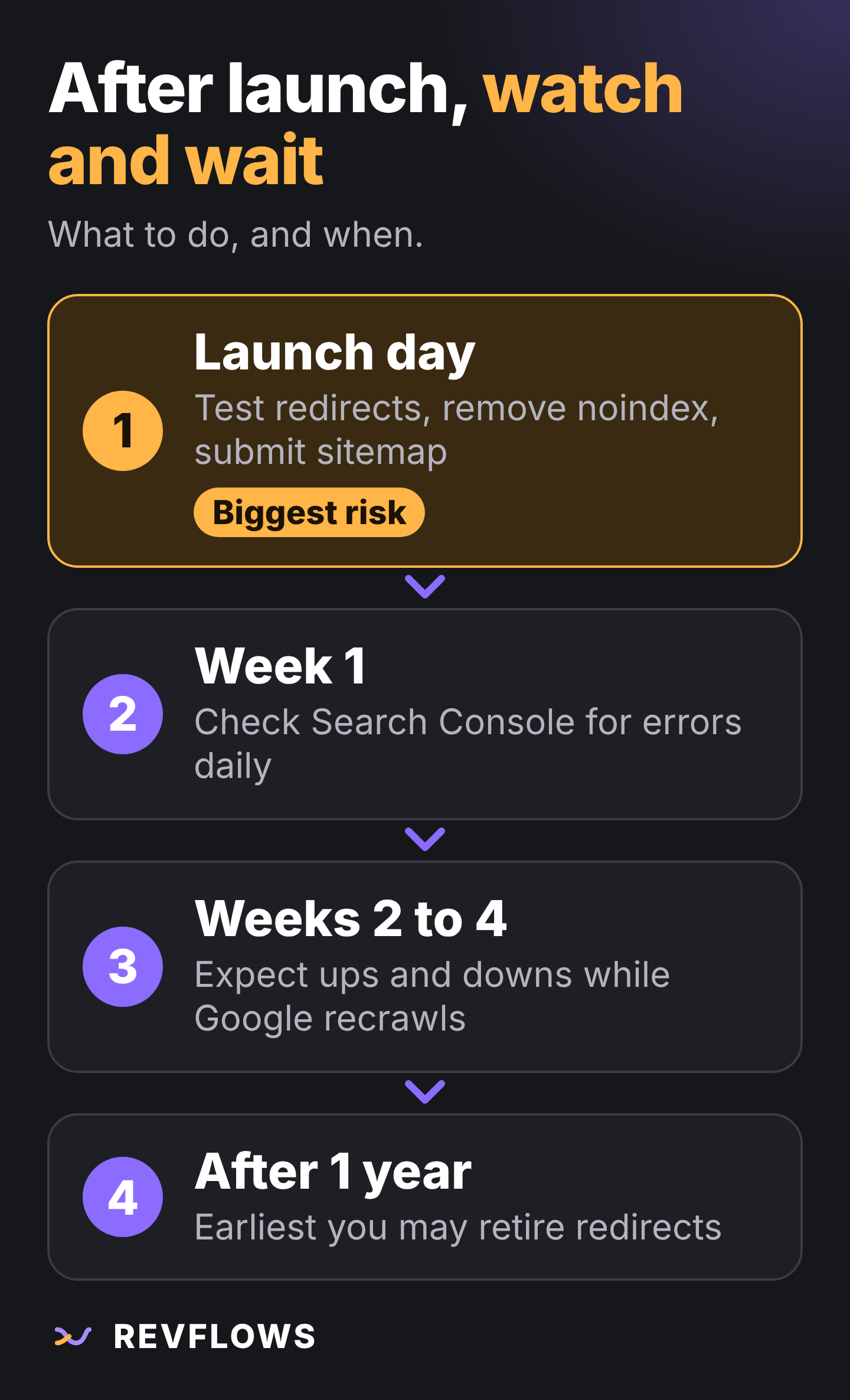
Normal in the first weeks: rankings moving up and down, old addresses still showing in results for a while, and a crawl spike.
Not normal, so act at once:
- a sharp rise in “Not found” errors,
- important pages missing from the index,
- redirects that land on 404 pages or loop,
- the whole site still marked noindex,
- a sitemap that still lists old URLs.
Most of these trace back to the common mistakes in Google’s troubleshooting list: leftover noindex or robots.txt blocks, redirects to the wrong pages, and sitemaps that were not updated.
Moving platform too?
If the redesign also changes platform, for example from WordPress to a faster framework, the checklist is the same, but the risk is bigger because URLs often change by accident. Compare options in Astro vs WordPress for a business website, and budget the redirect work in your quote. Our website cost guide shows how to price it.
Changing only the hosting, with no change to page addresses? That needs a different, simpler plan: build a copy, lower your DNS record TTL a week ahead, then switch DNS. Google covers it in its guide to changing your web hosting.
Once the move is done, the next job is turning visitors into customers. That is the topic of what is conversion rate optimization, with a 30-day plan.
Our view
- The URL map is the project. Design is the fun part, but the map decides whether you keep your traffic.
- Change less at once. New look, new platform and new domain together make every problem hard to find.
- Measure before and after. Without a baseline you can only guess whether the redesign worked.
Redesign without the traffic drop
Planning a redesign and worried about your rankings? We rebuild business websites on a fast modern stack, map and redirect every page, and watch Search Console after launch so your traffic keeps coming.
Questions
How long does it take to recover rankings after a website redesign?
Google says that for a small or medium site, most pages take a few weeks to move, and larger sites take longer. Rankings can swing up and down in that period and should settle. If you changed the content and URLs a lot at once, expect it to take longer.
Do 301 redirects lose SEO value?
No. Google states that 301 and other permanent redirects do not cause a loss in PageRank. Redirects still need to point to the right page. A redirect to an irrelevant page, or a long chain of redirects, can cause problems.
Should I redirect all old pages to the home page?
No. Google advises against redirecting many old URLs to one irrelevant destination such as the home page, because it can confuse people and may be treated as a soft 404 error. Redirect each old page to its closest equivalent. If pages were merged into one, redirecting them to the merged page is fine.
How long should I keep 301 redirects after a redesign?
Google recommends keeping redirects for as long as possible, generally at least one year, so it can transfer all signals to the new URLs. For visitors and old links, consider keeping them indefinitely.
Do I need the Change of Address tool?
Only if you move to a different domain or subdomain. Google says you do not need it for HTTP to HTTPS moves, switching between www and non-www, or moving paths within the same domain.
Can I redesign my website without changing the URLs?
Yes, and it is the safest way. If every page keeps its address, title, headings and main text, a redesign mostly changes how the site looks and loads. You still need to test speed, internal links and tracking after launch.