AI Systems · Web design · Web development · Website speed · CRO · Guide
Web design for small business: a modern website that loads fast and sells
 Eimantas KazėnasFounder, RevflowsUpdated Published
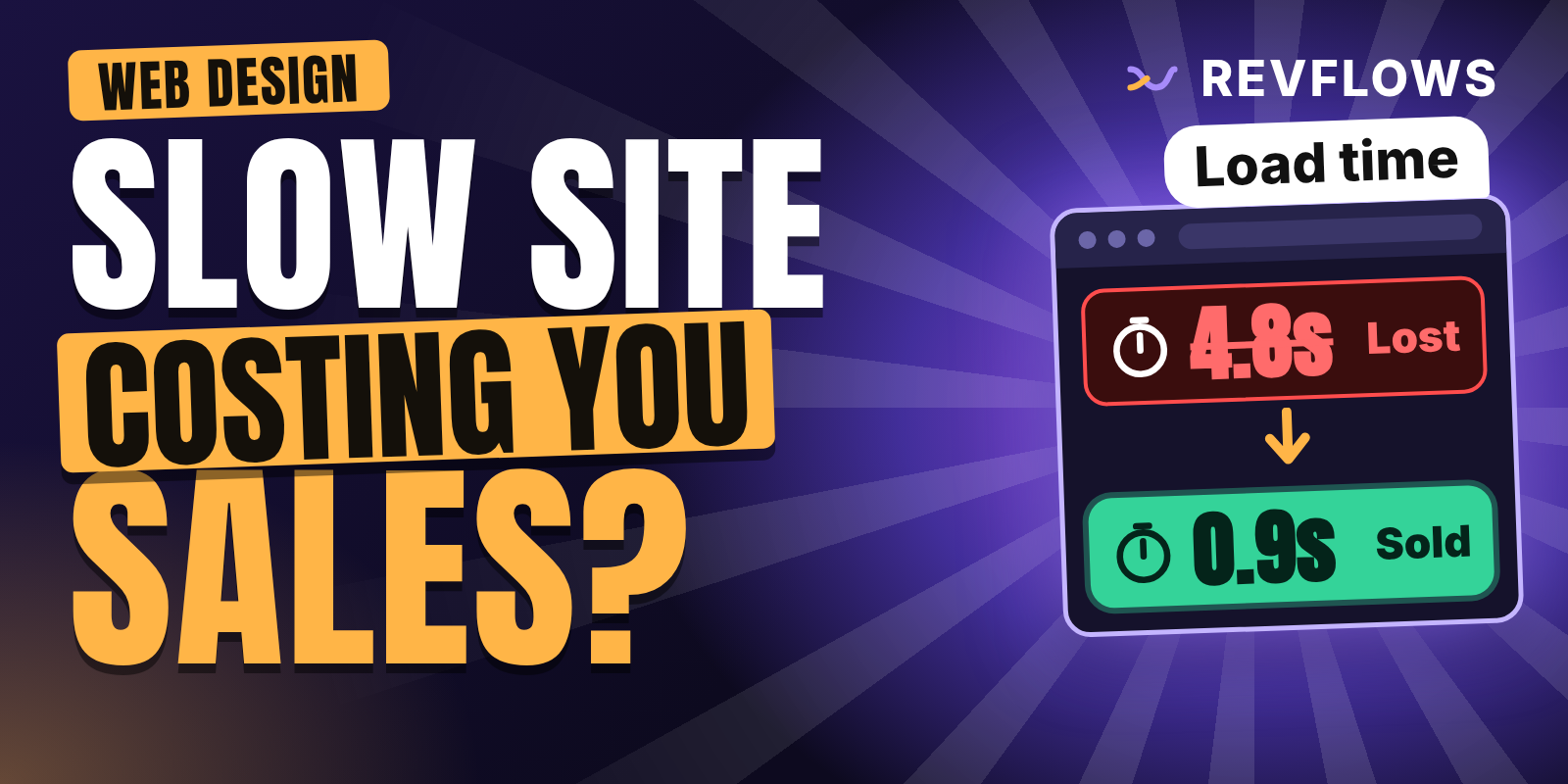
Good web design for a small business is a website that loads fast on a phone, says clearly what you sell and for whom, shows proof, and makes the next step obvious. Aim for Google's Core Web Vitals targets (main content in 2.5 seconds or less), build one page per service, and pick a platform you can keep secure and edit without a developer.
Key takeaways
- A small business website has one job: turn a visitor into a booking, call, sale or inquiry.
- It needs 5 parts: speed, a clear offer, proof, one next step, and pages Google and AI can read.
- Google's speed target: main content on screen in 2.5 seconds or less.
- In a Google-commissioned study, 0.1 seconds faster lifted travel bookings by 10%.
- When you rebuild, redirect every old URL or you lose the rankings you have.
Your website is usually the first place a customer checks you out. Often on a phone, often in a hurry, often next to two competitors in other tabs.
Good web design for a small business is a website that loads fast, says clearly what you sell and for whom, shows proof, and makes the next step obvious. Looks come after that.
Google’s web performance team put the goal simply:
“Site owners shouldn't have to be performance experts to understand the quality of experience they are delivering to their users.”
This guide covers what a modern small business website needs, how fast it should be, which platform to pick, and how to rebuild without losing what you have. Each section links to a deeper guide.
What does a small business website need to do?
Three jobs, in this order:
- Get found. On Google, on maps, and now in AI answers like ChatGPT and Google’s AI Overviews.
- Be trusted. In the first few seconds, a visitor decides if you look real, competent and right for them.
- Get the next step. A booking, a call, a purchase, an inquiry. If the site doesn’t make that easy, the first two jobs are wasted.
Everything else, from colours to animations, only matters if it helps one of these.
The 5 parts of a website that sells
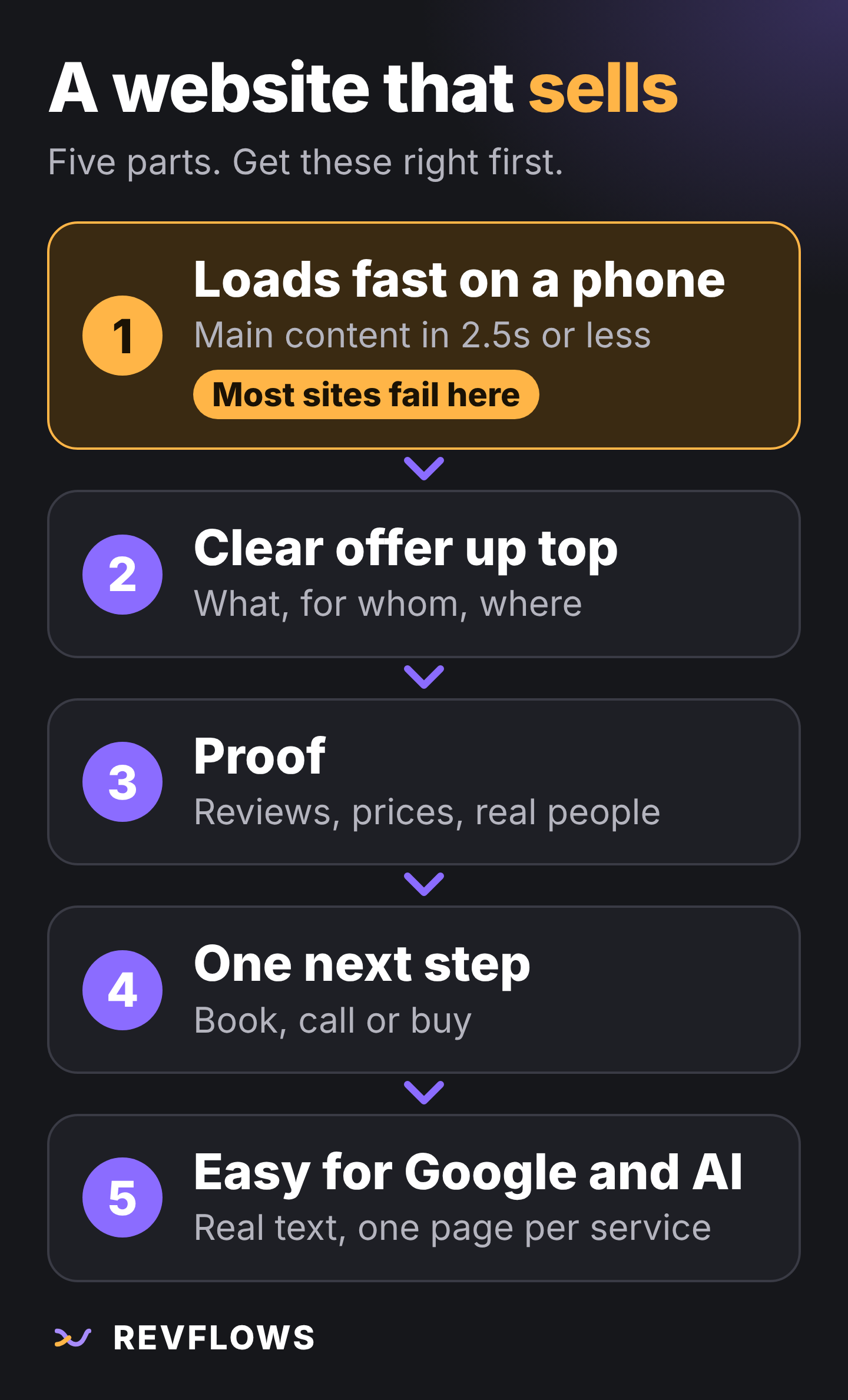
1. It loads fast on a phone
Google indexes and ranks the mobile version of your site. Your customers mostly see it on a phone too. Design for the phone first, then check the desktop. Speed has its own section below.
2. A clear offer in the first screen
Before scrolling, a visitor should know three things: what you do, who it’s for, and where. “Dental implants in Bangkok for international patients” beats “Welcome to our clinic”.
3. Proof
People trust other people. Show reviews with names, before-and-after photos, client logos, real prices or price ranges, and the faces of the team. Proof sells more than design.
4. One obvious next step
Pick the one action you want most and repeat it: “Book a consultation”, “Check availability”, “Start free trial”. Put it at the top, after each section and at the bottom. A second, softer option is fine (“See prices”). Five competing buttons are not.
5. Easy for Google and AI to read
Real text, not text inside images. One page per service. Clear headings that match the questions customers ask. These are the same things that help AI tools quote you, as our guide to AI search optimization explains.
How fast should your website be?
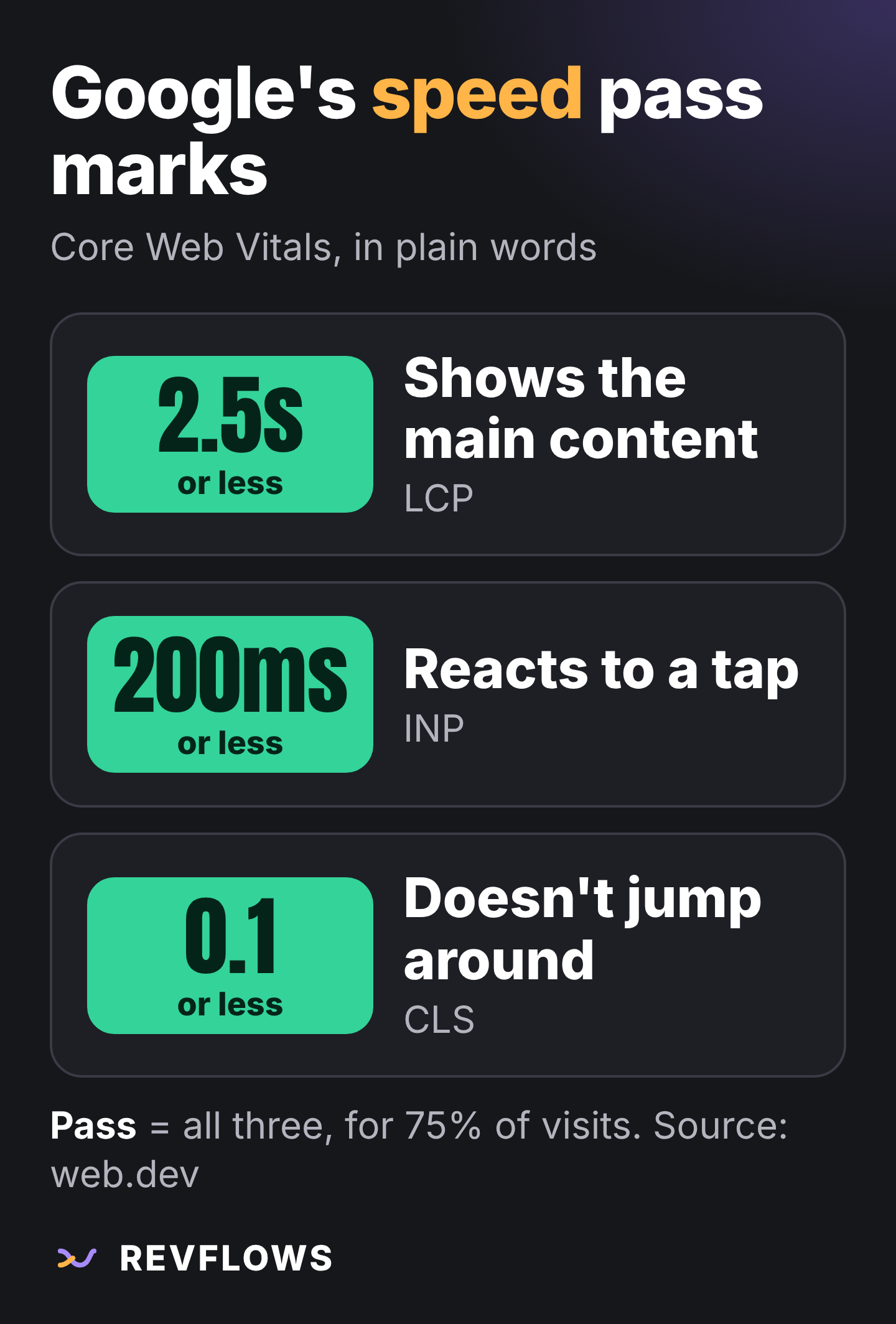
Google measures real visitors’ experience with three Core Web Vitals. These are the targets from web.dev:
| Metric | What it means | Good |
|---|---|---|
| Largest Contentful Paint (LCP) | How long until the main content shows | 2.5 seconds or less |
| Interaction to Next Paint (INP) | How quickly the page reacts to a tap or click | 200 milliseconds or less |
| Cumulative Layout Shift (CLS) | How much the page jumps while loading | 0.1 or less |
A page passes when it hits all three for at least 75% of visits. You can check yours for free in PageSpeed Insights or in Google Search Console.
Why speed is worth money
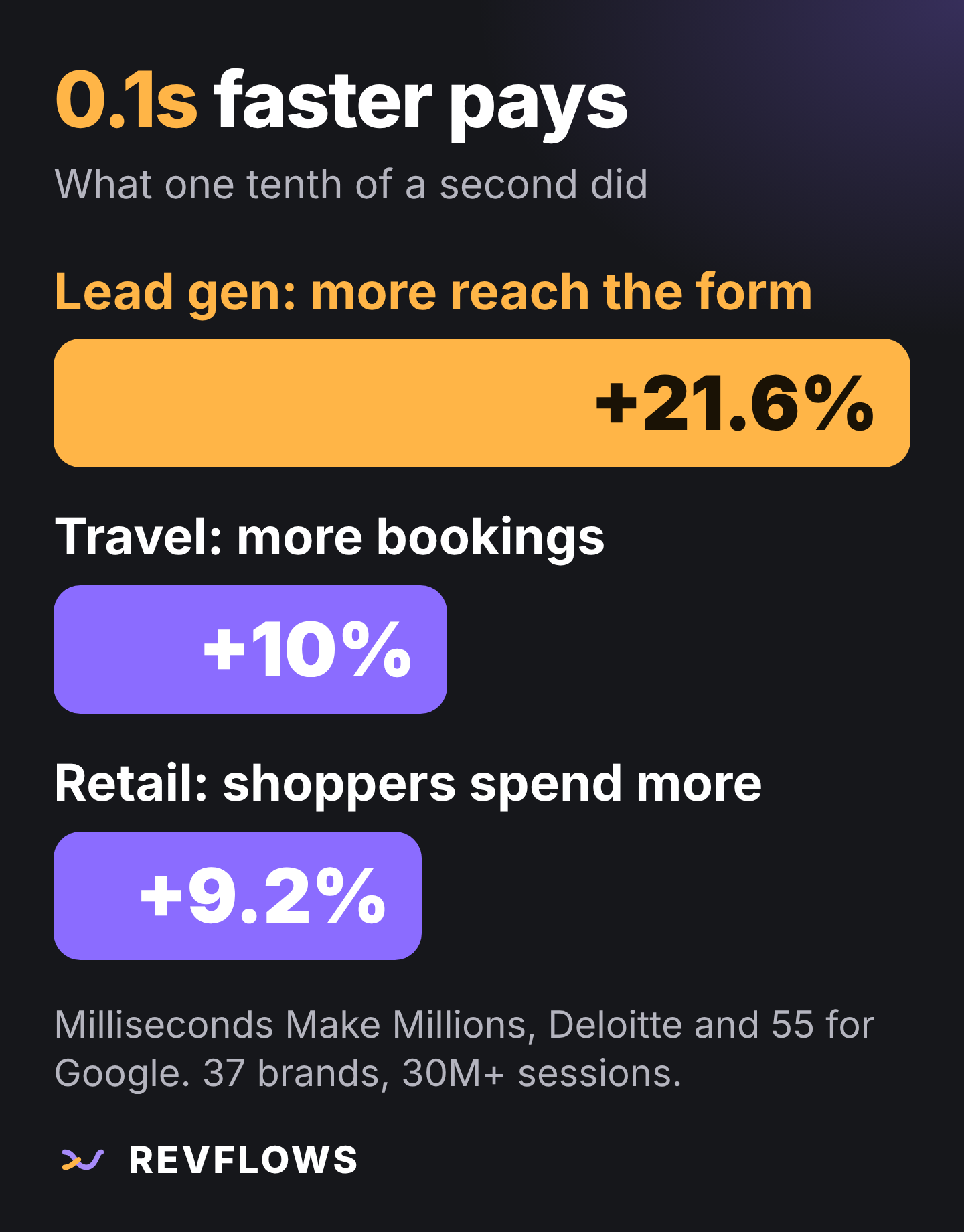
In Milliseconds Make Millions, a study commissioned by Google and run by 55 and Deloitte across 37 brand sites and more than 30 million sessions, a 0.1-second improvement in mobile speed was followed by:
- Travel: a 10% improvement in booking rates.
- Lead generation: 21.6% more visitors reaching the form submission page.
- Retail: shoppers spending 9.2% more.
The usual causes of a slow small business site are heavy images, too many plugins and scripts, a page builder that adds a lot of code, and cheap hosting. We cover how to find and fix each in why is my website slow?
Modern web development, in plain words
“Modern” doesn’t mean trendy. For a business website it means three things:
- Pages are built before anyone visits. The server sends a finished page instead of assembling it from a database on every visit. That’s faster and leaves less to attack.
- Little code runs in the visitor’s browser. Less JavaScript means faster pages on cheap phones and slow connections.
- Content is easy to edit. Your team updates text, prices and photos in a simple editor without breaking the design.
Astro is one framework built on this idea. Its own docs describe it like this:
“Astro is the web framework for building content-driven websites like blogs, marketing, and e-commerce ... If you need a website that loads fast and has great SEO, then Astro is for you.”
Which platform should you use?
Three realistic options for a small business:
| Option | Good for | Watch out for |
|---|---|---|
| Website builder (Wix, Squarespace, Shopify) | A first site, a small shop, a tight budget | Speed and SEO limits, hard to move away later |
| WordPress | Content-heavy sites, many plugins, lots of developers to hire | Plugin updates, security, speed drops as you add plugins |
| Modern framework (Astro, with a simple editor) | Speed, security and SEO when the site matters to sales | Needs a developer to set up |
WordPress is the default for a reason. W3Techs reports it runs 38.4% of all websites. But its flexibility comes from plugins, and that is where the risk sits. Patchstack’s State of WordPress Security in 2026 found:
- 91% of new WordPress vulnerabilities in 2025 were in plugins.
- 46% did not get a fix from the developer in time for public disclosure.
- The most heavily targeted ones were attacked within a median of 5 hours.
That doesn’t mean WordPress is wrong for you. It means a WordPress site needs someone keeping it updated every week. A full comparison is coming in Astro vs WordPress for a business website.
Which pages do you need?
Most small businesses need the same core set:
- Home. Who you help, with what, where, and the one next step.
- One page per service. “Teeth whitening”, “Family room”, “Onboarding automation”. Each one can rank and be quoted on its own.
- Prices. Real numbers or ranges. Hiding prices loses people who would have bought.
- About or team. Real names, real faces, real qualifications.
- Contact. Address, map, phone, hours, form. The same details as your Google Business Profile.
- FAQ. The questions people ask before they buy, answered in two or three sentences each.
Clinics and hotels add a location page. SaaS adds features, integrations and pricing. Digital products add a sales page per product.
Turning visitors into customers
Conversion rate optimization (CRO) means getting more of the visitors you already have to take the next step. It’s usually cheaper than buying more traffic.
Start with the basics:
- Find the leak. In your analytics, look at which page people leave from before they book or buy.
- Fix the biggest one first. Often it’s a long form, a hidden price, a slow page or an unclear button.
- Change one thing at a time and measure for a few weeks.
- Shorten every form. Ask only what you need to reply.
- Make contact easy. Click-to-call on mobile, WhatsApp where your customers use it, and fast replies.
A full plan is coming in what is conversion rate optimization.
Be ready for AI search
More customers now ask ChatGPT, Perplexity or Google’s AI for a recommendation before they visit any site. Those tools read your pages the way a search engine does, so a fast, clear, well-structured site helps here too.
The basics: let their crawlers in, put key facts in plain text, and answer common questions directly. Read what AEO is for the full picture.
Security and upkeep
A website is not finished at launch. Plan for:
- Updates. Weekly for WordPress plugins. Much less for a static site.
- Backups. Daily, stored somewhere other than your host.
- Uptime and form checks. Know within minutes if the site or the contact form breaks.
- Content. Prices, team and hours change. Someone needs to own updates.
If your WordPress site gets hacked, the first hour matters most. Have a plan and a recent backup before you need them.
Rebuilding without losing your rankings
A redesign is where many small businesses lose traffic they spent years building. The cause is almost always the same: old page addresses (URLs) that stop working.
Before you launch a new site:
- List every current URL. Your sitemap and Google Search Console show them.
- Map each one to a new URL. Keep the same address where you can.
- Set up 301 redirects for every address that changes.
- Keep what ranks. Don’t cut the text from pages that bring in traffic.
- Watch Search Console for errors in the weeks after launch.
The full checklist is coming in website redesign without losing SEO.
How to plan your website: 6 steps
1. Write down the one action you want. Book, call, buy or inquire. Every page leads there.
2. List your pages. One per service, plus home, prices, about or team, contact and FAQ.
3. Gather proof. Reviews, photos, logos, team bios and real prices, before design starts.
4. Set speed and mobile targets. Main content in 2.5 seconds or less on a phone. Every page usable with one thumb.
5. Pick the platform. Builder, WordPress or a modern framework. Compare speed, security, editing and cost over 3 years.
6. Plan redirects and tracking. Map every old URL. Set up analytics and form tracking before launch.
What does a small business website cost?
It depends on three things: how many pages and features you need, which platform, and who builds it. A builder template, a freelancer and an agency rebuild sit in very different price bands. Don’t forget running costs: hosting, updates, plugins or licences, and content changes.
Real price ranges are coming in how much does a website cost?
Web design for clinics, hotels, SaaS and digital products
| Business | Must have on the site | Next step to push |
|---|---|---|
| Clinic | One page per treatment with price range, doctor bios, before-and-after, aftercare | Book a consultation |
| Hotel | Direct-booking engine, room pages with real photos, best-rate promise, location guide | Check availability |
| SaaS | Clear “who it’s for”, pricing, integrations, product screenshots, case studies | Start a trial or book a demo |
| Digital products | One sales page per product, sample or preview, refund policy, testimonials | Buy now |
Detailed guides for dental and clinic website design and hotel website design are coming.
Common mistakes
- Designing for desktop first. Most visitors will see it on a phone.
- A homepage slider. It hides your offer behind moving pictures.
- No prices anywhere. People leave to find a competitor who shows them.
- One “Services” page for everything. Nothing can rank or be quoted on its own.
- Launching without redirects. Years of rankings gone in a week.
Our view
- Speed and clarity beat style. A plain, fast page with a clear offer outsells a beautiful slow one.
- Build the site you can keep up. Pick the platform your team can edit and keep secure, not the one with the most features.
- Measure what the site sells. Track bookings, calls and inquiries from day one, then fix the biggest leak first.
Get a site that loads fast and sells
Thinking about a rebuild? We move business sites to fast, secure modern stacks like Astro, keep every page and ranking, and test changes to lift sales.
Questions
What makes good web design for a small business?
A good small business website loads fast on a phone, says clearly what you sell and for whom in the first screen, shows proof such as reviews and real prices, and makes one next step obvious, like booking or calling. Looks matter less than clarity and speed.
How fast should a small business website load?
Google's Core Web Vitals target is for the main content to appear within 2.5 seconds, for the page to respond to taps within 200 milliseconds, and for the layout not to jump around (a layout shift score of 0.1 or less), for at least 75% of visits.
Should a small business use WordPress or something else?
WordPress is the most common choice and runs 38.4% of all websites, per W3Techs. It is flexible but needs constant plugin updates. A modern framework like Astro loads faster and has much less to patch, but needs a developer to set up. Pick by speed, security, ease of editing and cost over 3 years.
Can I redesign my website without losing Google rankings?
Yes, if you keep or redirect every old URL. List all current pages, map each to its new address, set up 301 redirects, keep titles and content that rank, and check Search Console for errors in the weeks after launch.
How many pages does a small business website need?
Usually a home page, one page for each service, a prices page, an about or team page, a contact page and an FAQ. Businesses with a physical location add a location page. One page per service matters most, because each one can rank and be quoted on its own.