AI Systems · AI automation · AI agents · MCP · Guide
What is AI automation? A plain guide for business owners
 Eimantas KazėnasFounder, RevflowsUpdated Published
AI automation is using AI to do repetitive work across your tools: it reads things like emails, forms and documents, decides what they need, and acts, such as updating your CRM, filing an invoice or drafting a reply. Regular automation follows fixed rules; AI automation can handle messy, unstructured inputs. Most businesses start with one task that repeats every week and keep a human check on anything risky.
Key takeaways
- AI automation lets AI read, decide and act across your tools, so work moves without someone pushing it.
- Rules handle tidy inputs. AI handles messy ones: emails, PDFs, calls, free text.
- 77% of US small and midsize businesses now use AI regularly (Intuit QuickBooks, 2026).
- Agents still need people: only 30% of enterprise leaders say agents do most tasks alone.
- Start with one task that repeats every week and keep a human check on anything risky.
Most teams now use AI to write or answer questions. Far fewer have it doing the actual work: filing, updating, sorting, replying.
AI automation is using AI to do repetitive work across your tools. It reads an input, such as an email, a form or a document, decides what it needs, and acts. You set the rules and the limits. It does the busywork.
Anthropic, the company behind Claude, gives the most useful advice for any business starting out:
“We recommend finding the simplest solution possible, and only increasing complexity when needed.”
This guide explains what AI automation is, how it works, what it can take off your team, what should stay human, and how to decide where to start.
What is AI automation?
AI automation is software that uses artificial intelligence to move work forward on its own. It connects to the tools you already use, like email, your CRM, your booking system and your documents, and does the steps someone would otherwise do by hand.
A simple example. A supplier emails an invoice as a PDF.
- By hand: someone opens it, retypes the amount into accounting, checks it against the order, files the PDF and replies.
- With AI automation: AI reads the PDF, pulls out the supplier, amount and due date, checks it against the order, files it, and flags it to a person only if something doesn’t match.
The person still owns the decision on anything unusual. They just stop doing the copying.
Automation vs AI automation vs AI agents
These three terms get mixed up. They are really three levels.
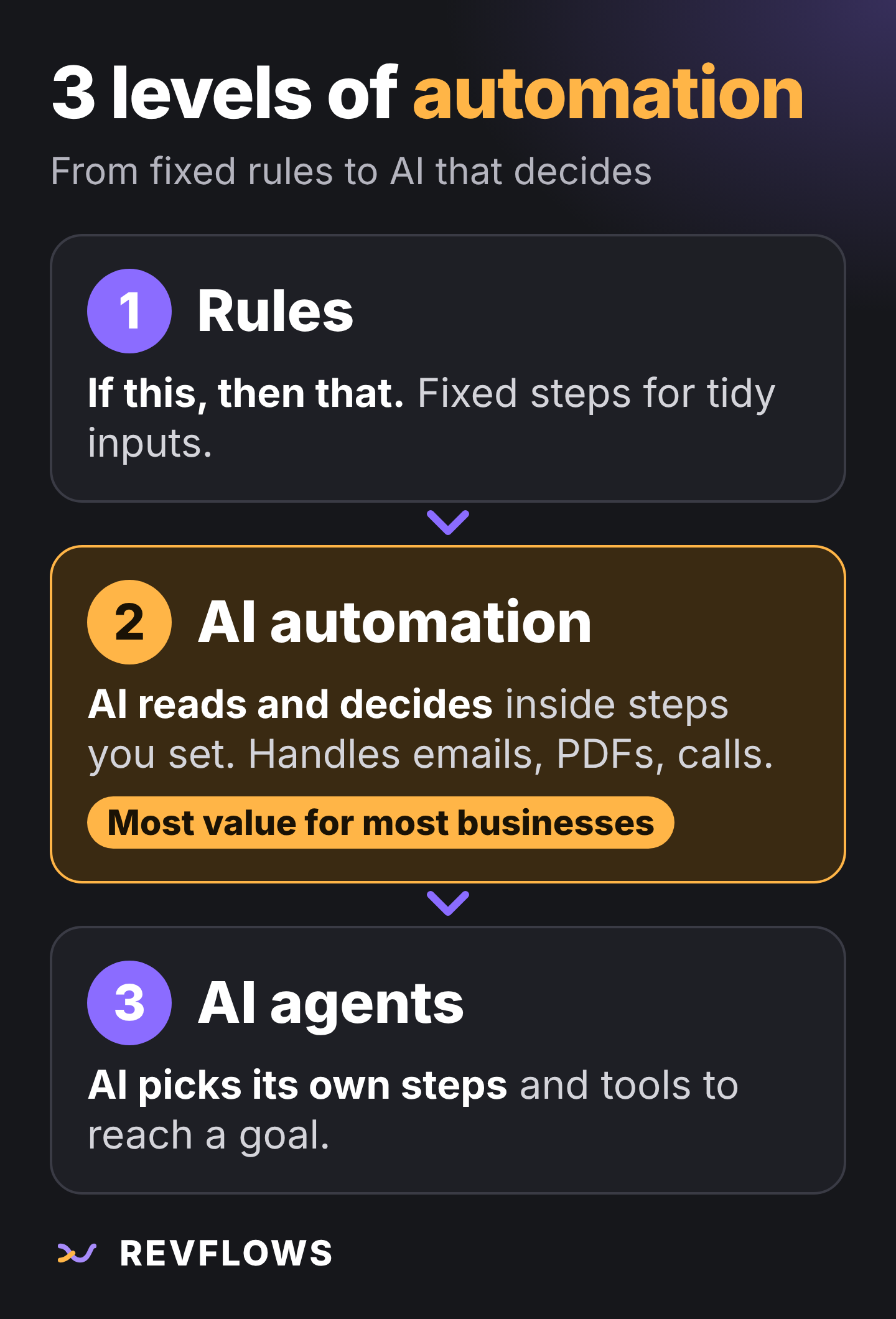
| Level | How it works | Good at | Example |
|---|---|---|---|
| 1. Rules-based automation | If this happens, do that. Fixed steps. | Tidy, predictable inputs | A form is submitted, so a row is added to a sheet |
| 2. AI automation | Steps you design, with AI reading, sorting or writing inside them | Messy inputs: emails, PDFs, calls, free text | An inquiry email is read, sorted by service and urgency, and answered with a draft |
| 3. AI agents | AI decides its own steps and which tools to use | Open-ended jobs with many possible paths | “Find every overdue invoice, chase each client and update the CRM” |
Anthropic draws the line between levels 2 and 3 clearly:
“Workflows are systems where LLMs and tools are orchestrated through predefined code paths. Agents, on the other hand, are systems where LLMs dynamically direct their own processes and tool usage, maintaining control over how they accomplish tasks.”
LLMs (large language models) are the AI behind tools like ChatGPT and Claude. Agents are powerful but harder to predict. For most small businesses, level 2 is where the hours are. More on the difference in agentic AI vs traditional automation, and on where agents do fit in AI agents for small business.
How does AI automation work?
Every AI automation has the same five parts:
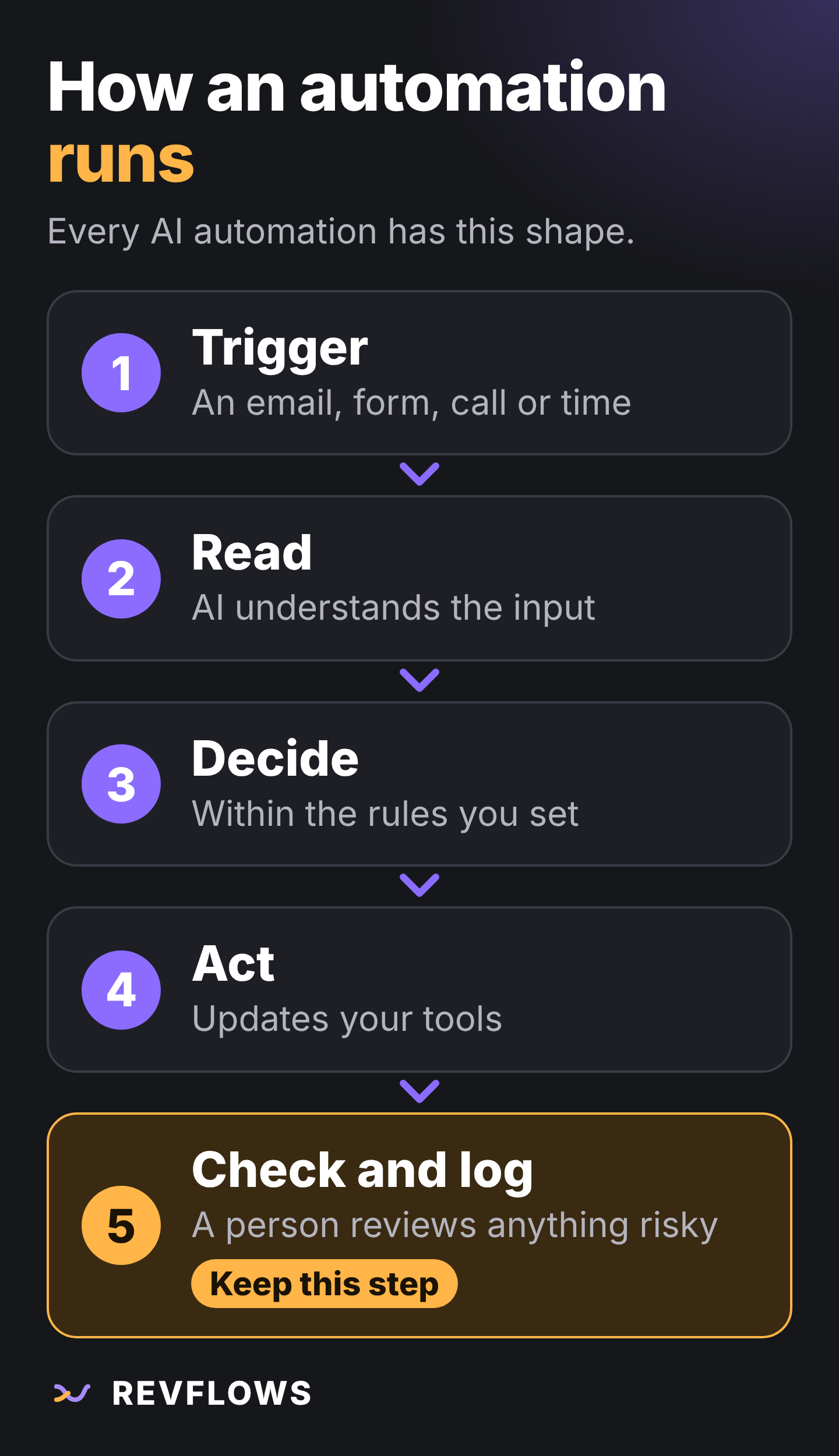
- Trigger. Something happens: an email arrives, a form is sent, a call ends, it’s Monday at 8:00.
- Read. AI understands the input: what the customer wants, the amounts on an invoice, the key points of a call.
- Decide. It picks what the input needs, within the rules you set: which service, how urgent, who should handle it.
- Act. It updates your tools: writes to the CRM, files the document, drafts or sends the reply, books the slot.
- Check and log. Anything risky goes to a person before it’s final. Every action is recorded.
Zapier’s 2026 survey of more than 500 enterprise leaders shows why the connected steps matter. Where more than half of a company’s AI agents were part of broader automated workflows, 77% of leaders said the agents completed most tasks without human help. Where they weren’t, only 8% said so.
How AI connects to your tools
Older automation tools connect apps through their APIs, the official doors each app offers to other software. AI automation uses the same doors, plus a newer one: MCP.
“Think of MCP like a USB-C port for AI applications. Just as USB-C provides a standardized way to connect electronic devices, MCP provides a standardized way to connect AI applications to external systems.”
In practice, MCP lets assistants like Claude and ChatGPT use your software directly: read your CRM, search your drive, update a sheet. More in what is an MCP server.
What can AI automate? Examples by team
AI automation works best on work that repeats, follows clear steps and arrives as text, documents or data.
| Team | What AI can take over | What stays with a person |
|---|---|---|
| Front desk and inquiries | Read every email, chat and form, sort by service and urgency, answer common questions, book slots | Complaints, complex cases, anything medical or legal |
| Documents and admin | Read invoices, forms and contracts, pull out the data, file and match them | Approving payments, signing contracts |
| Sales and CRM | Log every call and email to the CRM, update deal stages, draft follow-ups | The sales conversation itself |
| Marketing | First drafts of emails and posts, personalized follow-ups, review requests | Brand voice sign-off, offers and prices |
| Reporting | Pull numbers from several tools into one weekly report, flag what changed | Deciding what to do about it |
That matches where adoption already is. Intuit QuickBooks’ 2026 AI Impact Report found AI use is highest in marketing, admin and customer service, and lowest where human judgment matters most. In Zapier’s survey, the most common AI agent jobs were document analysis and summarization, and data extraction and entry.
Examples by industry
- Clinic: a patient sends a question at 11pm. AI answers the common part, offers booking times, and passes medical questions to staff in the morning with a summary.
- Hotel: supplier invoices are read, matched to orders and filed. Guest requests from email and WhatsApp are sorted and routed to the right team.
- SaaS: every demo call is summarized into the CRM with next steps, and the follow-up email is drafted before the rep hangs up.
- Digital products: refund and access requests are checked against the order and handled in minutes, with exceptions sent to a person.
For email specifically, the first automations are usually welcome, follow-up and win-back emails. See our email marketing guide.
How common is AI automation now?
Using AI is now normal. Letting it do work on its own is not, yet.
- 77% of US small and midsize businesses now use AI regularly, up from 48% in July 2024, and 43% say it has increased their revenue (Intuit QuickBooks, 2026).
- 88% of enterprise leaders say their organizations use or test AI agents, but only 30% say agents handle most of their tasks without human help (Zapier, 2026).
- 22% of respondents from smaller organizations (under $1 billion revenue) report scaling AI agents, flat on last year, against 40% at large ones (McKinsey, The state of AI in 2026).
The gap between “we use AI” and “AI does the work” is the opportunity for a small business.
Is this task worth automating?
Run any task through four checks. If it passes all four, it’s a strong first candidate.
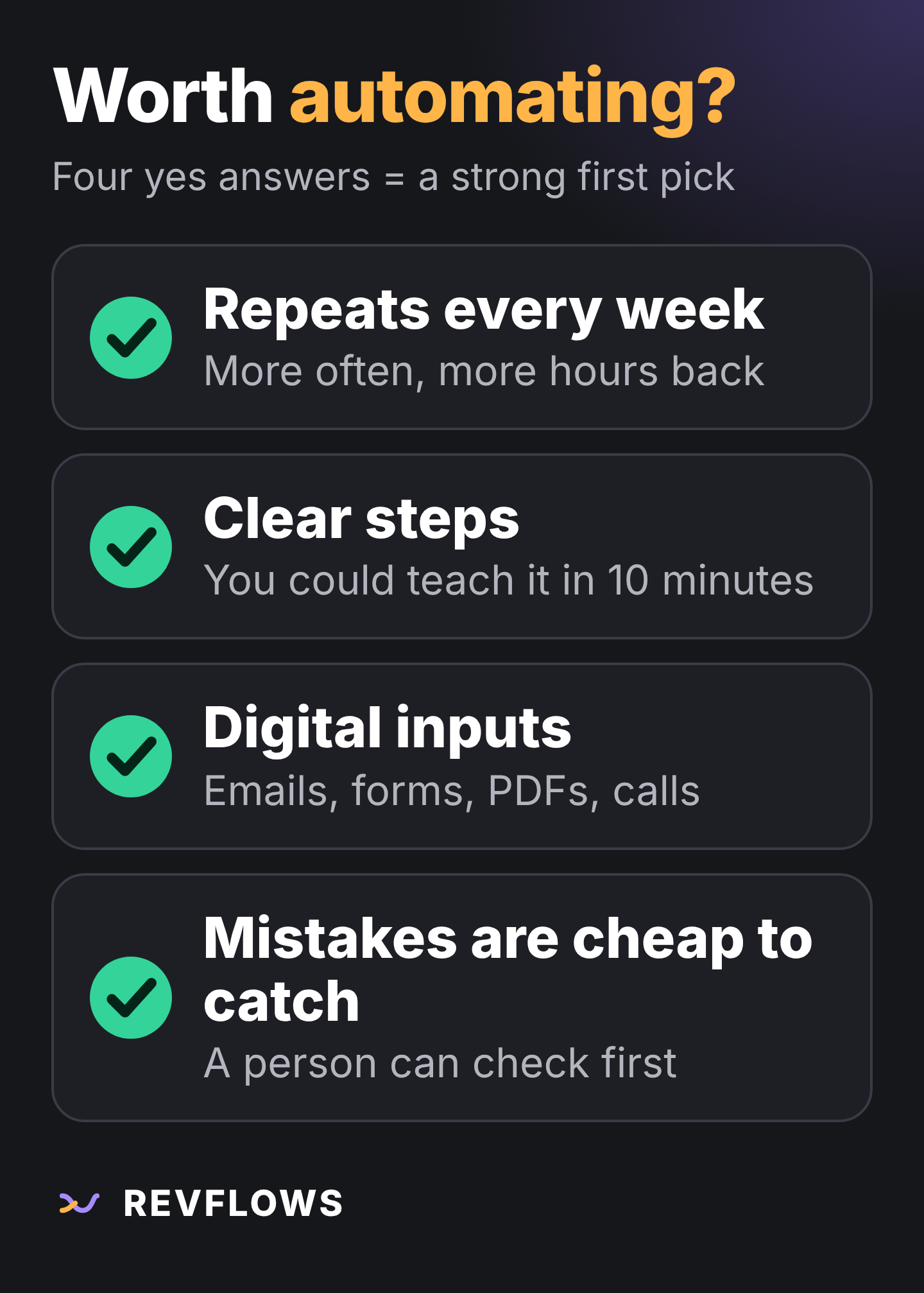
- It repeats every week. The more often, the more hours it gives back.
- The steps are clear. If you can explain it to a new hire in 10 minutes, AI can follow it.
- The inputs are digital. Emails, forms, PDFs, call recordings, spreadsheets.
- A mistake is cheap to catch. Start where a person can review the output before it matters.
A simple test from our own AI automation page: if someone copies, pastes or checks, it’s a candidate.
What should stay human?
AI automation is not about removing people. It’s about removing the copying, sorting and chasing so people do the parts that need them.
Keep a person in charge of:
- Money leaving the business. Payments, refunds above a limit, discounts.
- Medical, legal and safety advice. AI can collect and summarize. A qualified person answers.
- Unhappy customers. Complaints need a human voice.
- Anything new. A situation the automation hasn’t seen should go to a person, not be guessed at.
The best setups make the handover automatic: the automation knows when to stop and who to pass to.
Tools: build it yourself or get help?
You have three routes:
| Route | Examples | Fits when |
|---|---|---|
| No-code automation tools | Zapier, Make, n8n | Simple flows between popular apps, and someone on your team likes tinkering |
| AI built into your software | AI features in your CRM, helpdesk, accounting or email tool | The task lives inside one tool |
| Custom or managed automation | Built and run for you, using APIs and MCP | The task crosses several tools, has messy inputs or needs reliability and reporting |
We compare the main no-code tools in n8n vs Zapier vs Make.
Risks, and how to manage them
The worries are real. Intuit’s survey found the top barriers to AI adoption are privacy and security, fear of errors, and uncertainty about what AI can do. Each has a practical answer:
- Data access. Give each automation only the access it needs, nothing more.
- Errors. Add a human check on risky steps, and test on real past examples before going live.
- Unclear value. Measure hours saved and errors caught every week. If a flow doesn’t pay, switch it off.
- Running costs. AI usage is billed per use. McKinsey found about 20% of respondents say AI operating costs, including token costs, limited their AI use. Estimate volumes before you build.
What does AI automation cost?
Two parts: building it, and running it. Building covers mapping the task, connecting your tools and testing. Running covers the software subscriptions, AI usage fees that rise with volume, and someone to watch and improve it.
The right way to judge cost is against hours saved. A flow that saves five hours a week of a skilled person’s time pays for a lot of software.
Where to start
Pick one task that passes the four checks above, automate it with a human check, measure it for a month, then add the next one. Don’t start with a big “AI transformation” project.
A step-by-step starter plan is coming in AI automation for small business: where to start.
Our view
- Start boring. Invoices, CRM updates and inquiry sorting pay faster than clever chatbots.
- Connected beats clever. An AI step wired into your real tools does more than a smarter model working alone.
- Keep humans on the edges. Let AI do the middle of the work. People handle the start (the rules) and the end (the judgment calls).
Hand your busywork to AI
Want to know which of your tasks AI can take over? We map the work your team repeats, connect AI to your tools and report the hours saved every week.
Questions
What is AI automation?
AI automation is using artificial intelligence to do repetitive work across your business tools without someone pushing it along. It reads inputs such as emails, forms, calls and documents, decides what they need, and takes action, like updating a CRM, filing an invoice or drafting a reply.
What is the difference between automation and AI automation?
Regular automation follows fixed rules: if this happens, do that. It breaks when the input is messy. AI automation adds a step that can read and understand unstructured inputs, like a free-text email or a scanned invoice, and choose what to do with them.
Is an AI agent the same as AI automation?
Not quite. An AI automation usually follows steps you designed, with AI handling some of them. An AI agent decides its own steps and which tools to use to reach a goal. Anthropic describes workflows as following predefined code paths, while agents dynamically direct their own processes and tool usage.
What tasks can AI automate in a small business?
Tasks that repeat often, follow clear steps and use digital inputs: sorting and answering inquiries, extracting data from invoices and forms, updating the CRM after calls and emails, writing first drafts of emails and reports, booking and reminders, and weekly reporting.
Is AI automation safe for customer data?
It can be, if each automation gets only the access it needs, sensitive steps keep a human check, and every action is logged. Privacy and security were the top barriers to AI adoption in Intuit QuickBooks' 2026 survey of more than 34,000 small and midsize business owners.