AI Systems · AI automation · Small business · How-to
AI automation for small business: where to start (a 30-day plan)
 Eimantas KazėnasFounder, RevflowsUpdated Published
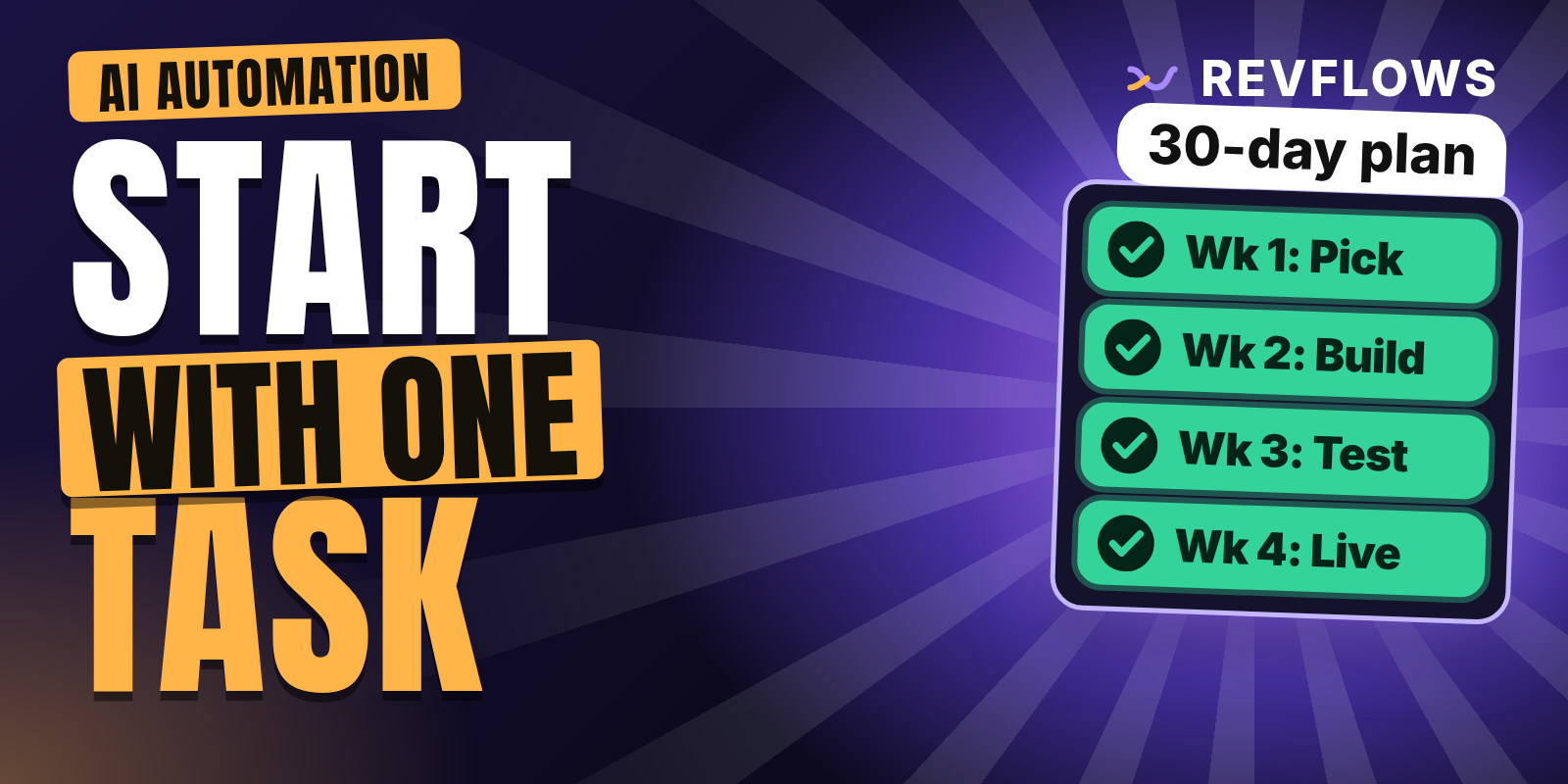
To start with AI automation in a small business, list the tasks your team repeats every week, pick one that has clear steps and digital inputs, connect AI to the tools that task already uses, keep a person checking anything risky, and measure hours saved for 30 days before adding the next one.
Key takeaways
- Start with one task, not an "AI transformation" project.
- The best first tasks repeat every week, have clear steps and use digital inputs.
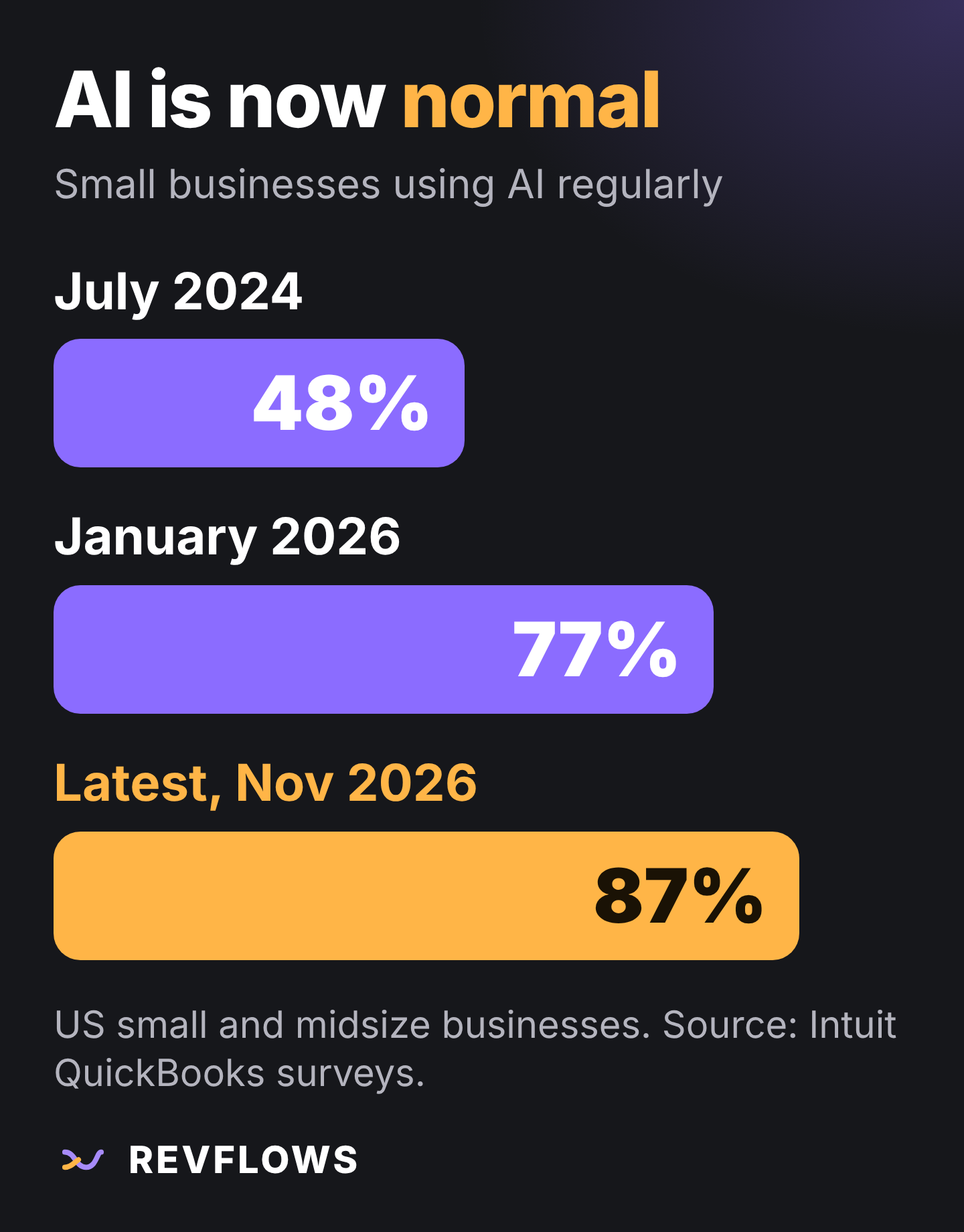
- 87% of US small and midsize businesses now use AI regularly (Intuit QuickBooks, November 2026).
- Let AI read, sort and draft. Keep a person on anything risky.
- Test on real past cases, then measure hours saved for 30 days.
Most small businesses already use AI to write emails or answer questions. Far fewer have it doing work on its own: sorting inquiries, filing invoices, updating the CRM.
That gap is where the hours are. AI automation for a small business means picking one repeated task and letting AI do the reading, deciding and updating, with a person checking anything risky. If you want the full picture first, start with our plain guide to what AI automation is. This page is the “where to start” part.
Why start now
Using AI is now normal for small firms. According to the latest Intuit QuickBooks Small Business Insights survey, 87% of US small and midsize businesses use AI regularly, up from 77% in January 2026. Among those using it, 73% say it improved productivity and 59% say it increased revenue.
The same source names a lack of knowledge and understanding about AI as one of the top three barriers. That is the real problem for most owners. Not the tools, but knowing where to point them.
What to automate first
The best first automation is boring. It repeats often, follows clear steps, uses digital inputs, and is cheap to check. Here are the tasks that pass most often in small businesses:
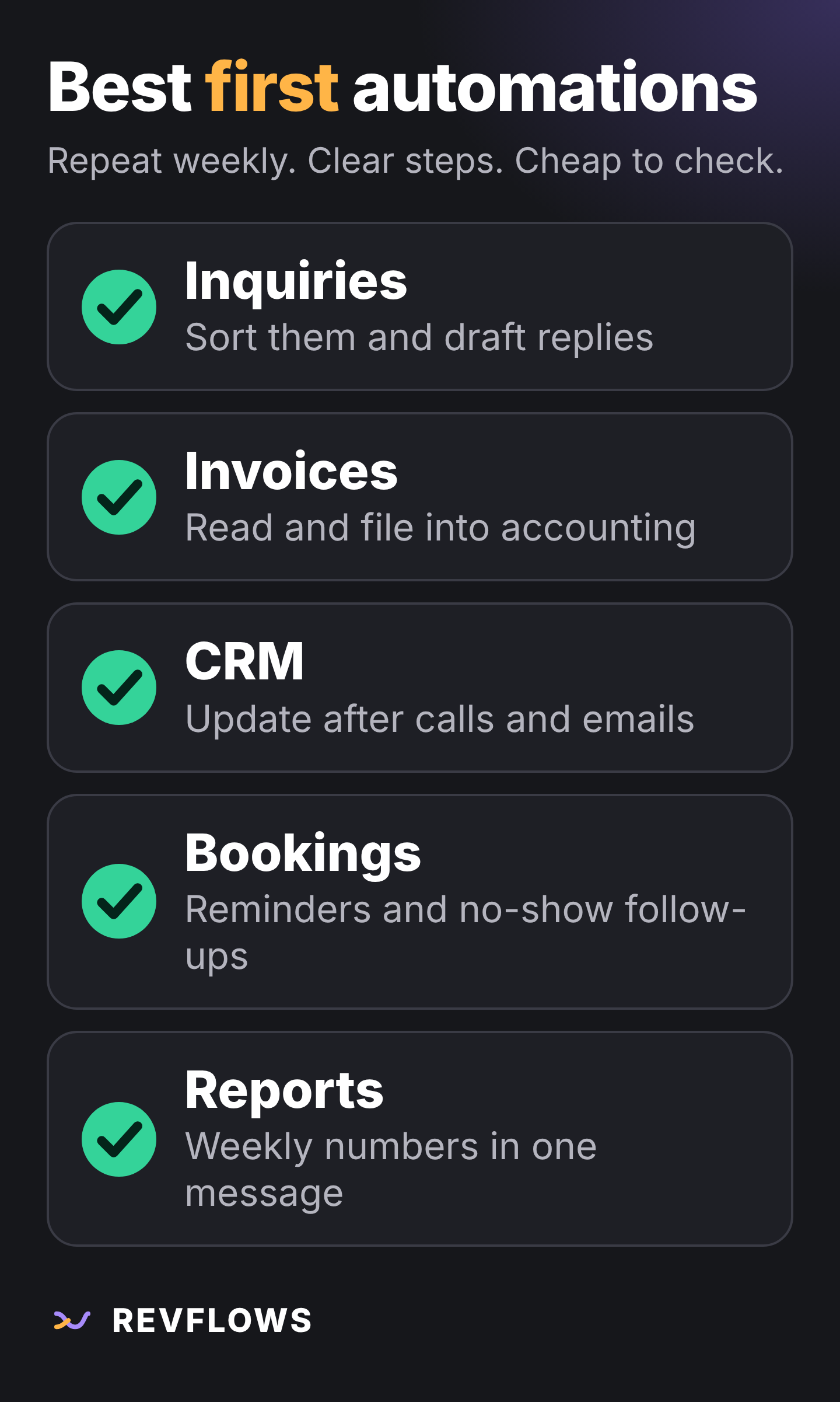
- New inquiries. AI reads each email or form, tags it (booking, price question, complaint), drafts a reply and routes urgent ones to a person.
- Invoices and receipts. AI reads the PDF, pulls the supplier, amount and due date, and files it in accounting. A person checks anything that doesn’t match.
- CRM updates. After a call or email thread, AI writes the summary and next step into the CRM, so nobody has to remember.
- Bookings. Reminders before the appointment, a follow-up after a no-show, a rebooking nudge after a visit.
- Weekly reporting. Leads, bookings and revenue pulled from your tools into one short message every Monday.
Email follow-ups are often the easiest win of all, because the tools are mature. See email marketing automation for the five flows worth setting up.
What to keep human
Leave these with people, at least at first: pricing exceptions, refunds, complaints, medical or legal advice, and anything where one wrong message costs a customer. AI can still prepare the draft. A person sends it.
Which AI tools to use
You have three options. Most businesses use more than one.
| Option | What it is | Good for |
|---|---|---|
| AI inside your tools | Features in software you already pay for (CRM, help desk, accounting) | Tasks that live inside one tool |
| No-code automation platforms | Zapier, Make or n8n connecting your apps, with AI steps | Tasks that cross two or more tools |
| Managed or custom automation | Built and run for you, using APIs and MCP | Messy inputs, many tools, or when it has to be reliable |
Start with the first option and only move up when the task needs it. We compare the three main platforms in n8n vs Zapier vs Make. If you want an AI assistant to work inside your tools in a chat, read what an MCP server is.
How to start: a 30-day plan in 7 steps
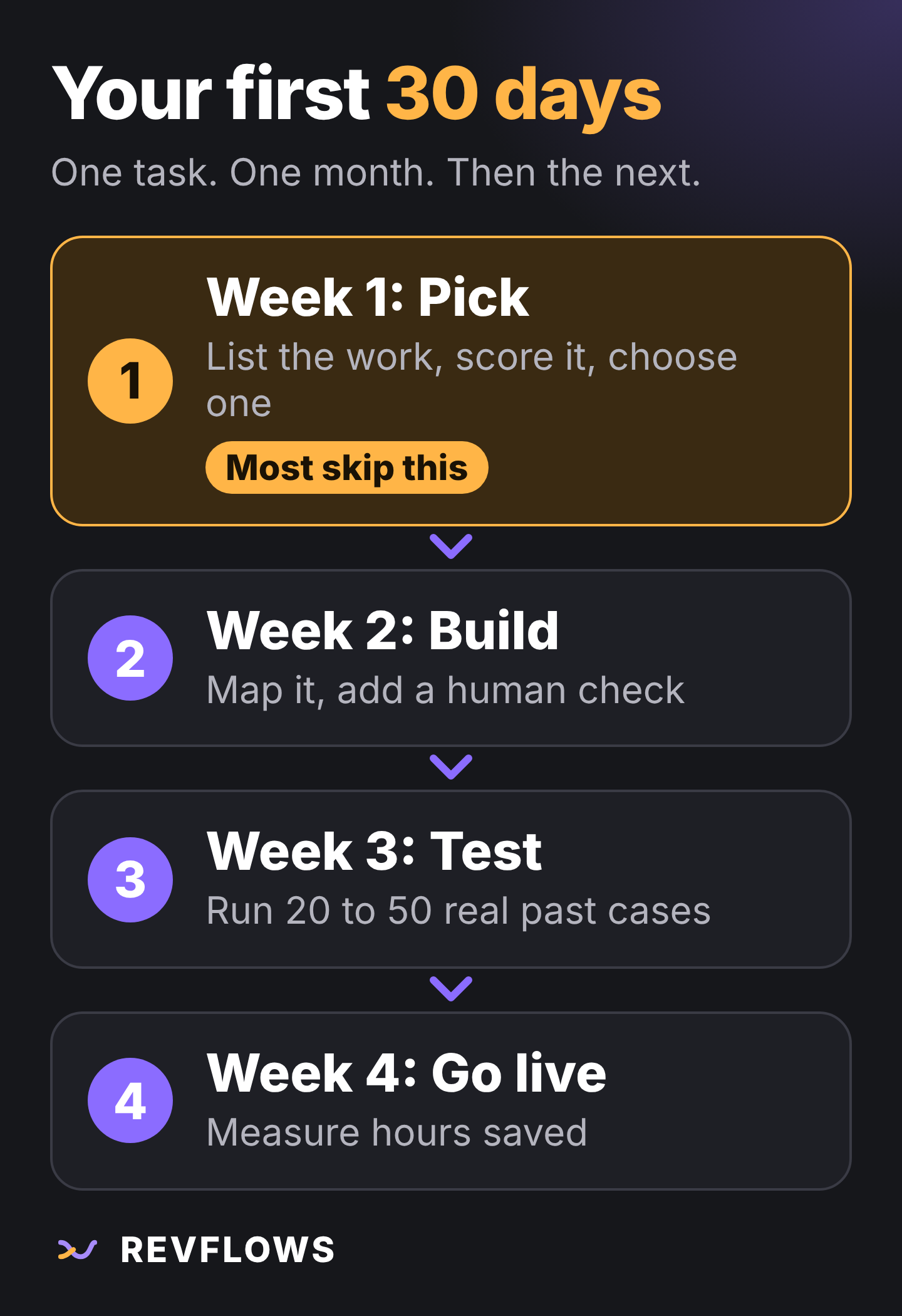
1. List the work your team repeats. For one week, everyone notes each task they do more than once. Answering the same questions, copying data between tools, chasing payments, sending reminders. You’ll find more than you expect.
2. Score each task with four checks. One point for each yes:
- It repeats every week.
- The steps are clear. You could teach them in 10 minutes.
- The inputs are digital: emails, forms, PDFs, calls.
- A mistake is cheap to catch.
Four points is a strong first pick. Fewer than three, leave it for later.
3. Map one task, step by step. Write how it runs today. What starts it? What does the person read? What do they decide? Which tools do they update? Where does it go wrong? This map becomes your automation.
4. Choose where it will run. If the AI built into a tool you already use covers the task, use that. If it crosses tools, use an automation platform or a managed setup. Don’t buy a new tool for a task you haven’t mapped.
5. Build it with a human check. Let AI do the middle: reading, sorting, drafting, updating. Keep a person approving anything that goes to a customer, touches money or deletes data. You can remove checks later, once the numbers say it’s safe.
6. Test on real past examples. Run 20 to 50 real past cases through it before it touches live work. Where it gets things wrong, fix the rules or add a “hand to a person” path.
7. Go live and measure for 30 days. Each week, note hours saved, errors caught and how fast customers got answers. If it pays, keep it and pick the next task from your list. If it doesn’t, switch it off.
How to measure if it’s working
Pick three numbers before you start, and write down today’s value:
- Hours per week the task takes now.
- Response time, for anything customer-facing.
- Error rate: how often a person has to fix the result.
Then compare after 30 days. Judge cost against hours saved, not against “AI hype”. A flow that saves five hours a week of skilled time pays for a lot of software. A flow that runs twice a month rarely does.
Common mistakes
- Starting too big. “Automate customer service” is not a task. “Sort and draft replies to new inquiries” is.
- Automating a messy process. If nobody agrees how the task should run, AI will just make the mess faster. Map it first.
- No human check at the start. The first month is when you find the edge cases. Keep a person in the loop.
- Not measuring. Without a before number, you can’t tell if it worked.
- Too many tools. Each new tool is another login, bill and failure point. Use what you have first.
When to add AI agents
Once two or three automations run well, you may want AI that picks its own steps toward a goal, such as “qualify this lead and book a call”. That’s an AI agent, and it needs clearer limits and more checking. We cover where agents fit in AI agents for small business.
Our view
- One task, one month. Small, measured wins beat a big plan that never ships.
- Boring pays. Inquiries, invoices and CRM updates save more hours than a clever chatbot.
- People on the edges. AI does the middle of the work. People set the rules and make the judgment calls.
Get your first automation live
Not sure which task to start with? We map the work your team repeats, build the first automation with the right checks, and report the hours it saves every week.
Questions
How can a small business use AI automation?
Start with work that repeats every week and follows clear steps: sorting and answering inquiries, pulling data from invoices and forms into your accounting or CRM, updating the CRM after calls, sending booking reminders and follow-ups, and building weekly reports. AI reads and drafts; your tools do the rest.
What is the first thing I should automate?
The task that repeats most often, has clear steps, uses digital inputs and is cheap to check. For many small businesses that is answering and sorting new inquiries, or getting invoice data into accounting without retyping it.
Do I need to know how to code to automate my business with AI?
No. Many tools you already use have AI features built in, and platforms like Zapier and Make are built for non-developers. Code helps for complex or high-volume flows, which is where a technical partner can help.
How long does it take to set up a first AI automation?
A focused first automation can be mapped, built, tested and live within 30 days. Plan a week to list and pick the task, a week to build, a week to test on real past examples, and a week to run it and measure.
Is AI automation worth it for a very small business?
It can be, if the task repeats often enough. Measure it in hours saved per week against the monthly cost of the tools. A flow that saves a few hours a week of skilled time usually pays for itself; a flow that runs twice a month usually doesn't.