AI Systems · MCP · AI automation · AI agents · Guide
What is an MCP server? A plain-English guide for business owners
 Eimantas KazėnasFounder, RevflowsUpdated Published
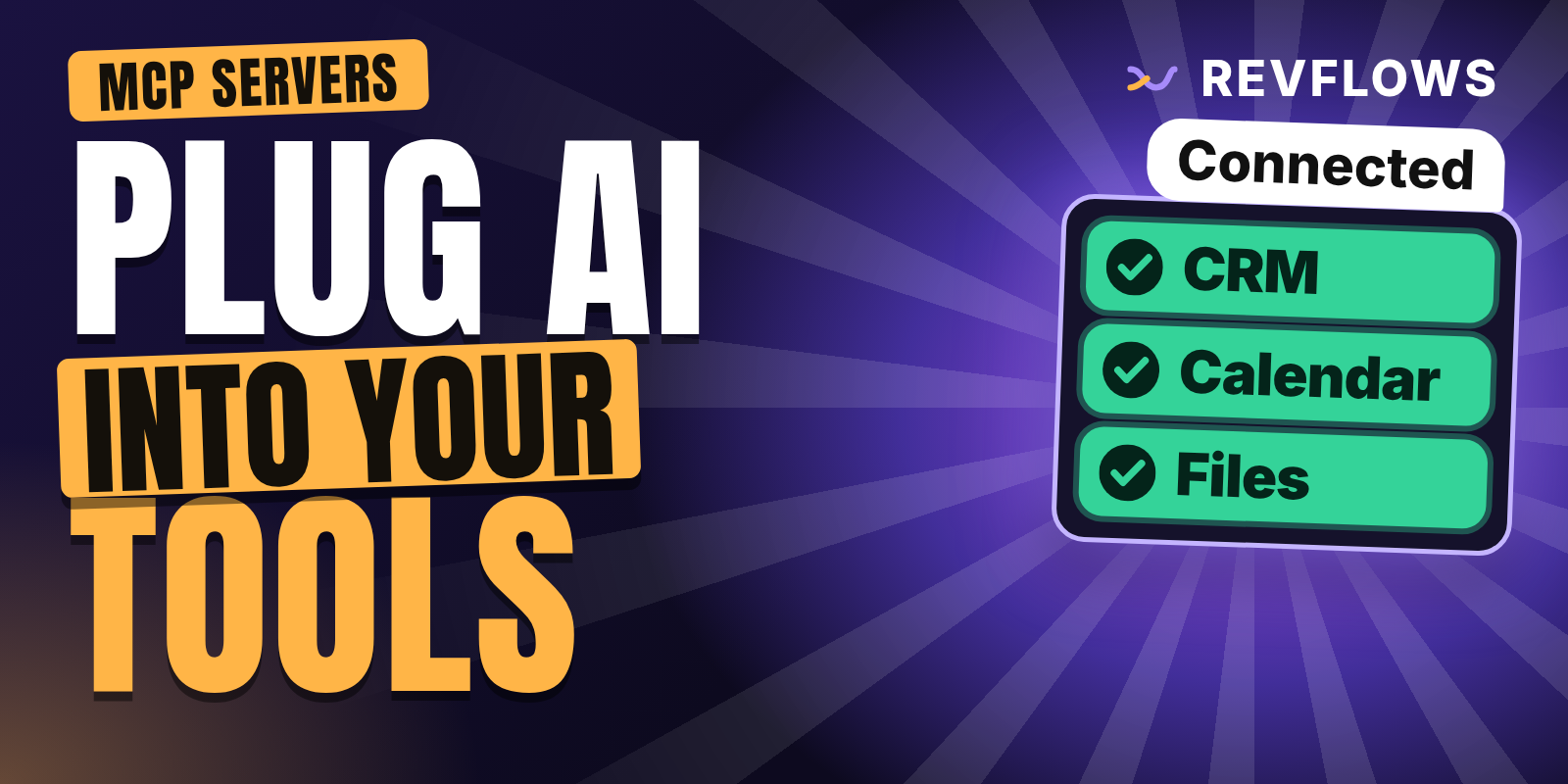
An MCP server is a small program that gives an AI assistant, such as Claude or ChatGPT, safe access to one of your tools, like your CRM, calendar or files. It tells the AI what it can read and what actions it can take. MCP (Model Context Protocol) is the open standard that makes one connection work across many AI apps.
Key takeaways
- An MCP server connects an AI assistant to one tool, like your CRM, calendar or files.
- MCP is an open standard, so one connection works with Claude, ChatGPT and other AI apps.
- A server offers three things: actions (tools), data (resources) and ready-made instructions (prompts).
- Most businesses use MCP servers that software companies already publish. You rarely build one.
- Start read-only, connect only trusted servers, and keep approval on for anything that changes data.
AI assistants are good at writing and answering. On their own, they can’t see your bookings, your customer list or last month’s invoices. MCP servers fix that.
An MCP server is a small program that lets an AI assistant use one of your tools. It tells the AI what it can read and what it can do in that tool, in a format any MCP-compatible AI app understands.
The official documentation puts it simply:
“Think of MCP like a USB-C port for AI applications.”
One plug shape, many devices. MCP is the plug shape. Each MCP server is the cable for one tool. It is one of the building blocks of AI automation: the part that lets AI act in your real systems instead of only chatting.
This guide explains what an MCP server is, how it works, what it can do for a business, how it differs from an API, and how to start without putting your data at risk.
What is MCP?
MCP stands for Model Context Protocol. It is an open standard for connecting AI apps to outside systems: files, databases, business software and workflows.
Anthropic, the company behind Claude, released MCP as open source in November 2024. Its point was that every new data source needed its own custom connection, which made connected AI hard to scale.
MCP has since spread well beyond Claude. In December 2025, Anthropic donated MCP to the Agentic AI Foundation, a fund under the Linux Foundation co-founded with Block and OpenAI. At that point it counted more than 10,000 active public MCP servers, and adoption by ChatGPT, Cursor, Gemini, Microsoft Copilot and Visual Studio Code.
For a business owner, that matters for one reason: you are not betting on one AI vendor. A connection built on MCP works across the AI apps that support it.
What is an MCP server?
An MCP setup has three parts:
- The host: the AI app you use, such as Claude, ChatGPT or an AI coding tool.
- The client: a small connector inside the host. It keeps one connection open to one server.
- The server: the program that exposes one tool to the AI, such as your CRM, your drive or your help desk.
You mostly see the host and pick servers to connect. The client works in the background.
What an MCP server gives the AI
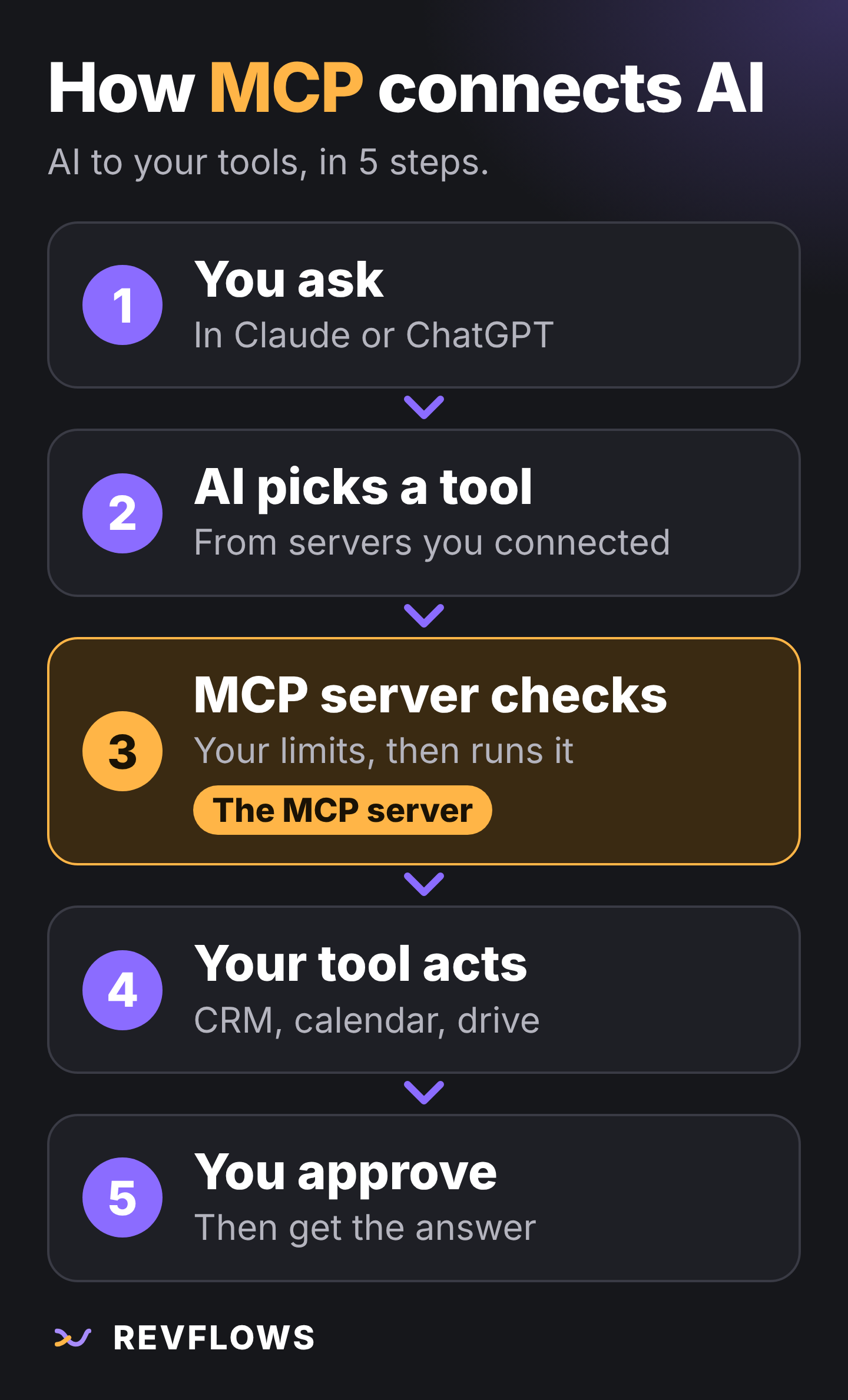
An MCP server can offer three kinds of things, according to the MCP architecture docs:
- Tools: actions the AI can take. Create a contact, search orders, book a slot, send a draft.
- Resources: data the AI can read for context. A file, a database record, a price list.
- Prompts: ready-made instructions for common jobs, such as “summarise this customer’s history”.
Local vs remote MCP servers
“Server” sounds like a machine in a data centre. It doesn’t have to be.
- Local MCP servers run on your own computer next to the AI app. Good for your files or a local database.
- Remote MCP servers run online, usually hosted by the software company. Many AI apps can connect to the same one over the internet, with a normal login.
For most businesses, remote servers published by your software vendors are the easy path. You connect them like an app integration, sign in, and choose what to allow.
How does an MCP server work? A simple example
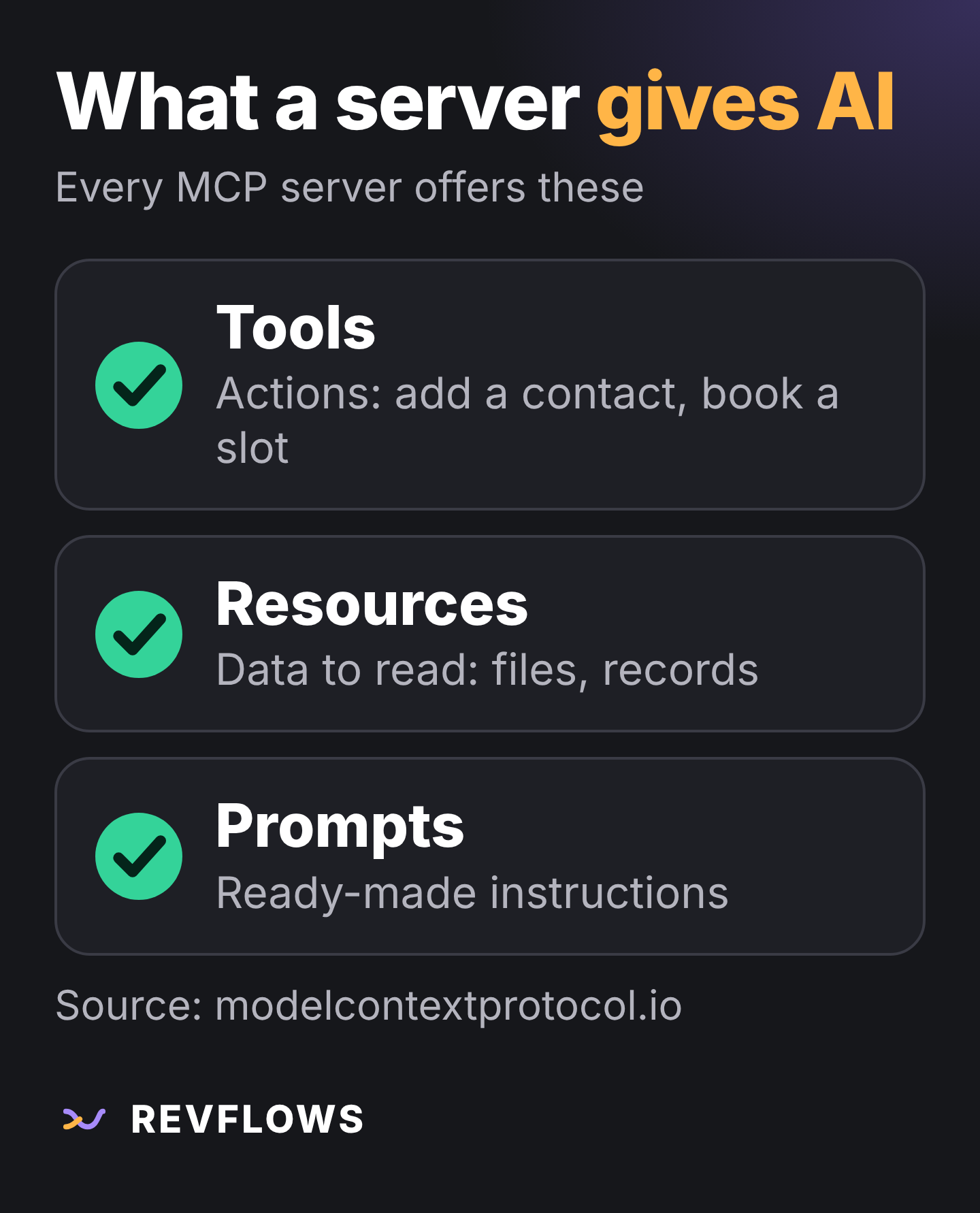
Say you run a clinic and ask your AI assistant: “Which patients cancelled this week and haven’t rebooked?”
- The AI app sees it has a booking-system server connected, with a “search appointments” tool.
- It asks the server to run that tool with this week’s dates.
- The server checks the AI’s access, calls your booking system and returns the list.
- The AI writes you a short answer, and offers to draft rebooking emails.
- If you say yes, it uses a second tool to create the drafts. You review them before anything sends.
You never copied data between screens. The AI did the lookup inside the limits the server allows.
MCP server vs API: what is the difference?
This is one of the most common questions people search, and the answer is simple.
| API | MCP server | |
|---|---|---|
| What it is | How software talks to one product | One standard way for any AI app to use a tool |
| Who uses it | Developers writing code | AI apps, on your behalf |
| Setup per AI app | Custom code each time | Connect once, works across MCP apps |
| Describes itself | Through separate documentation | Tells the AI which tools exist and what they do |
An MCP server usually sits on top of a product’s API. The API still does the work. The MCP server packages it so an AI can discover the tools and use them correctly.
What can MCP servers do for a business?
MCP turns an AI assistant from “writes things for you” into “does things in your tools”. Common examples:
- Sales: “Update the deal after this call and set a follow-up for Thursday” in your CRM.
- Support: “Find this customer’s last three tickets and draft a reply” from your help desk.
- Admin: “Pull last month’s unpaid invoices and list who to chase” from your accounting tool.
- Bookings: “Show tomorrow’s empty slots and draft a message to the waitlist” from your booking system.
- Reporting: “Compare this week’s leads with last week” from your analytics and CRM.
Many automation platforms also speak MCP now. Zapier offers an MCP server that gives AI tools access to the apps it connects, and n8n plans include MCP triggers and clients. We compare those tools in n8n vs Zapier vs Make.
Do you need to build your own MCP server?
Usually not. Start with what exists:
- Check your software vendors. Many CRMs, help desks, project tools and drives now publish an official MCP server or “connector”.
- Check your AI app’s directory. Claude has a directory of MCP-powered connectors, and other AI apps list theirs in settings.
- Use an automation platform as a bridge. If a tool has no MCP server, a platform like Zapier or n8n can expose it.
Build a custom MCP server only when you have an in-house system with no connector, or you need tight control over exactly what the AI can do. That is developer work, so keep the first version small: a few read-only tools.
Risks, and how to stay safe
Connecting AI to real systems is powerful. It also means mistakes and misuse can now change real data. The MCP specification is direct about it:
“Tools represent arbitrary code execution and must be treated with appropriate caution.”
The same section says hosts must obtain explicit user consent before invoking any tool. Use that as your rule.
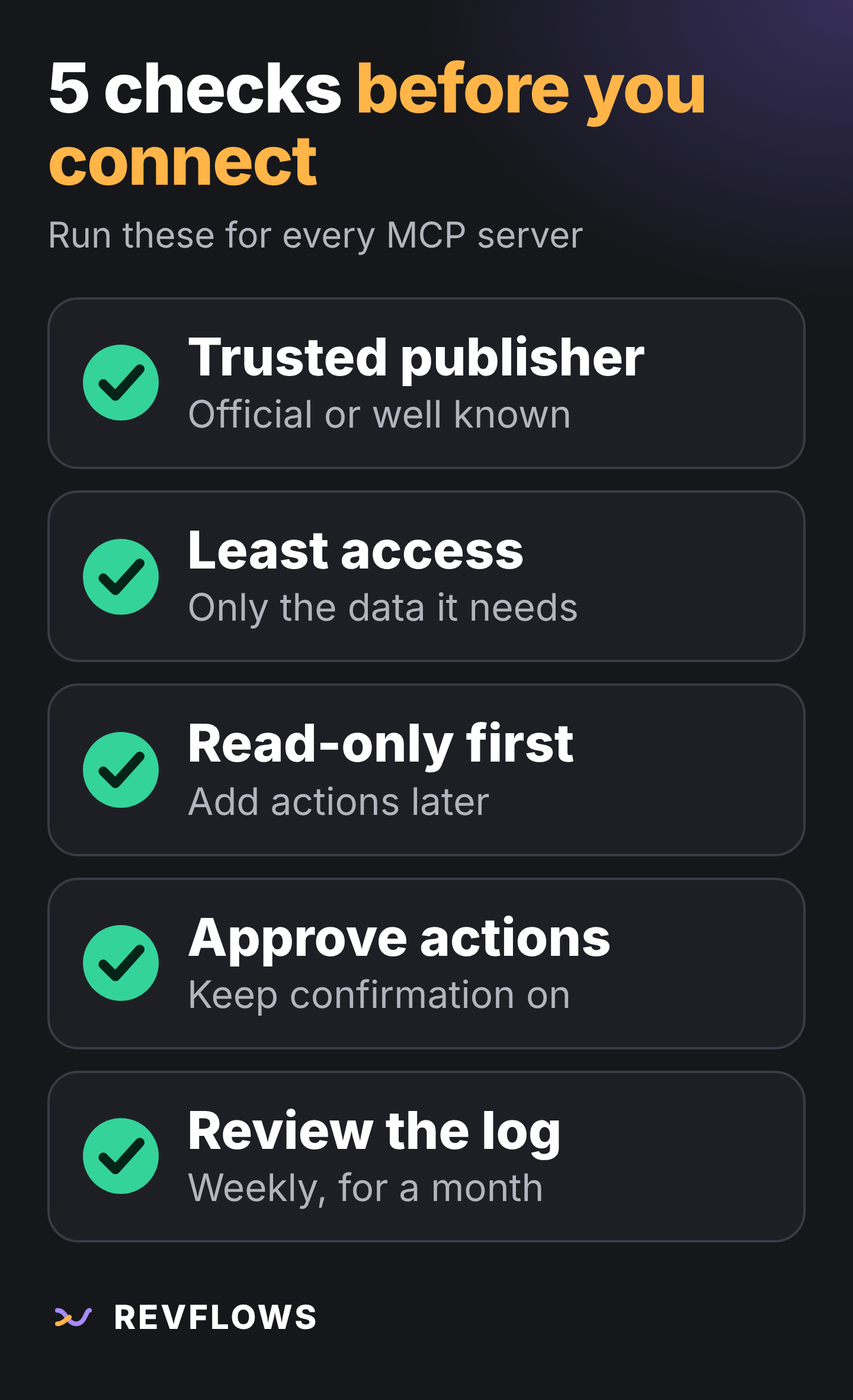
- Trusted publishers only. Prefer official servers from the software vendor. A random server from the internet can describe its tools one way and do another.
- Least access. Give each server only the data and actions it needs. A reporting assistant doesn’t need delete rights.
- Read-only first. Start by letting the AI look things up. Add actions once you trust the results.
- Keep approval on. Let the AI propose changes and a person confirm them, especially for anything sent to customers or touching money.
- Review the log. Check what the AI did each week for the first month.
Where MCP fits in AI automation
MCP is plumbing, not a strategy. It makes AI useful inside your tools, but you still need to pick the right job for it.
A simple rule: use MCP when a person works with AI in a chat, and use an automation when work should happen on its own. Asking “who should we chase?” is an MCP job. Sending a reminder every time an invoice goes overdue is an automation job.
If you are choosing a first project, our guide to AI automation for small business walks through picking one task and running a 30-day pilot. For when AI should pick its own steps, see agentic AI vs traditional automation.
Our view
- Connected beats clever. A good AI wired into your CRM does more than a great AI working from copy-pasted text.
- Use the vendor’s server. Official MCP servers are the safest and least work.
- Approval is a feature. Keeping a person on the final click is what makes AI safe to use with real customers.
Put AI to work inside your tools
Want AI that works in your real systems, safely? We connect AI to your CRM, inbox and booking tools with the right limits, and report the hours it saves every week.
Questions
What is an MCP server in simple terms?
An MCP server is a connector between an AI assistant and one of your tools. It tells the AI what data it can read, such as customer records or files, and what actions it can take, such as creating a task or updating a deal. The AI app connects to it using the Model Context Protocol (MCP).
What is the difference between MCP and an API?
An API is how software talks to one specific product, and each AI app needs custom code for each API. MCP is one standard way for any AI app to discover and use tools. An MCP server often sits on top of a product's API and describes it in a way AI apps understand.
Is an MCP server a real server?
It is a program, not necessarily a machine. A local MCP server runs on your own computer next to the AI app. A remote MCP server runs online, usually hosted by the software company, and many AI apps connect to it over the internet.
Does ChatGPT use MCP?
Yes. The official MCP documentation lists ChatGPT and Claude among the AI assistants that support MCP, along with development tools such as Visual Studio Code and Cursor.
Are MCP servers safe for business data?
They can be, if you only connect servers from publishers you trust, give each one the least access it needs, and keep approval on for actions. The MCP specification says tools represent arbitrary code execution and that hosts must get explicit user consent before invoking any tool.