AI Systems · AI agents · AI automation · Small business · How-to
AI agents for small business: 7 jobs worth handing over first
 Eimantas KazėnasFounder, RevflowsUpdated Published
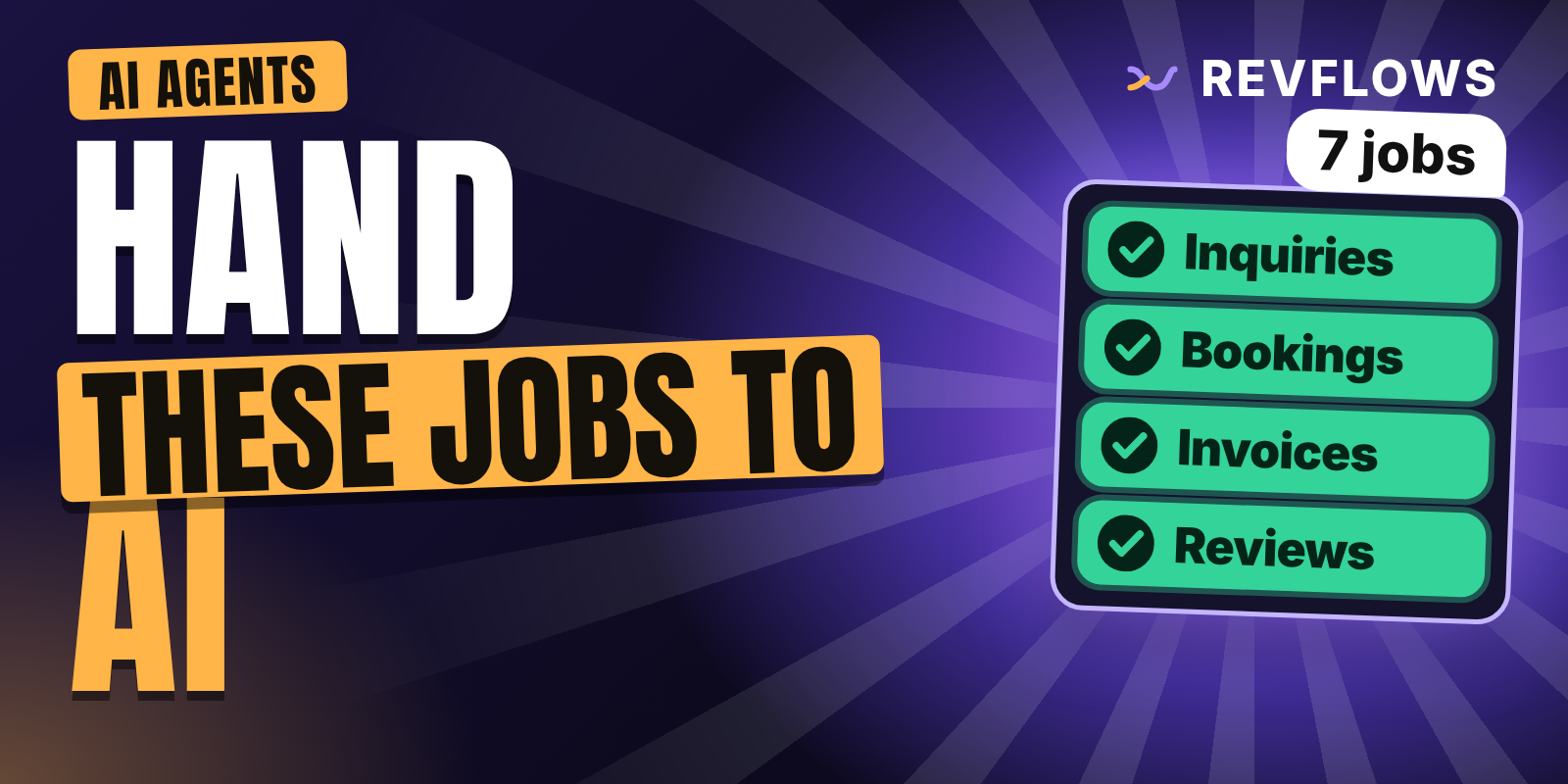
An AI agent is software that is given a goal and some tools, and decides its own steps to reach it, like reading an inquiry, checking the calendar and booking a call. For a small business, the jobs worth handing over first are inquiries, lead qualification and booking, after-hours calls, invoice reminders, CRM updates, reviews and weekly reports. Start with one job, limited access and a human approving anything risky.
Key takeaways
- An AI agent gets a goal and tools, and decides its own steps. Automation follows fixed steps.
- Gartner expects over 40% of agentic AI projects to be canceled by the end of 2027, mostly from unclear value and weak controls.
- The 7 jobs worth handing over first: inquiries, lead qualification and booking, after-hours calls, invoice reminders, CRM updates, reviews and weekly reports.
- Guardrails first: one job, least access, human approval for anything risky, a log and a weekly review.
- If fixed steps can do the job, use plain automation. It's cheaper and more predictable.
“AI agents” are everywhere in 2026. Every software tool now has one, and every vendor promises it will run part of your business for you.
Some of that is real. Plenty isn’t. This guide explains what an AI agent actually is, the seven small business jobs where agents pay off first, and the guardrails that keep them from costing you a customer.
It builds on our pillar guide, what is AI automation, which explains the three levels from simple rules to agents.
What is an AI agent, in plain words?
An AI agent is software that is given a goal and access to some tools, and works out its own steps to reach the goal.
Compare it with a normal automation:
- Automation: “When a form comes in, add a row to the sheet and send the template reply.” Same steps every time.
- AI agent: “Answer every new inquiry and book a call with the right person.” The agent reads each message, checks your prices and calendar, decides what to reply, books the slot, and hands over to a person when it’s unsure.
Think of it as a capable new hire who follows your written rules, works 24 hours a day, and needs supervision until it has earned trust.
Agent, automation or assistant?
Not every job needs an agent. Gartner’s analysts put the rule of thumb simply:
“They can start by using AI agents when decisions are needed, automation for routine workflows and assistants for simple retrieval.”
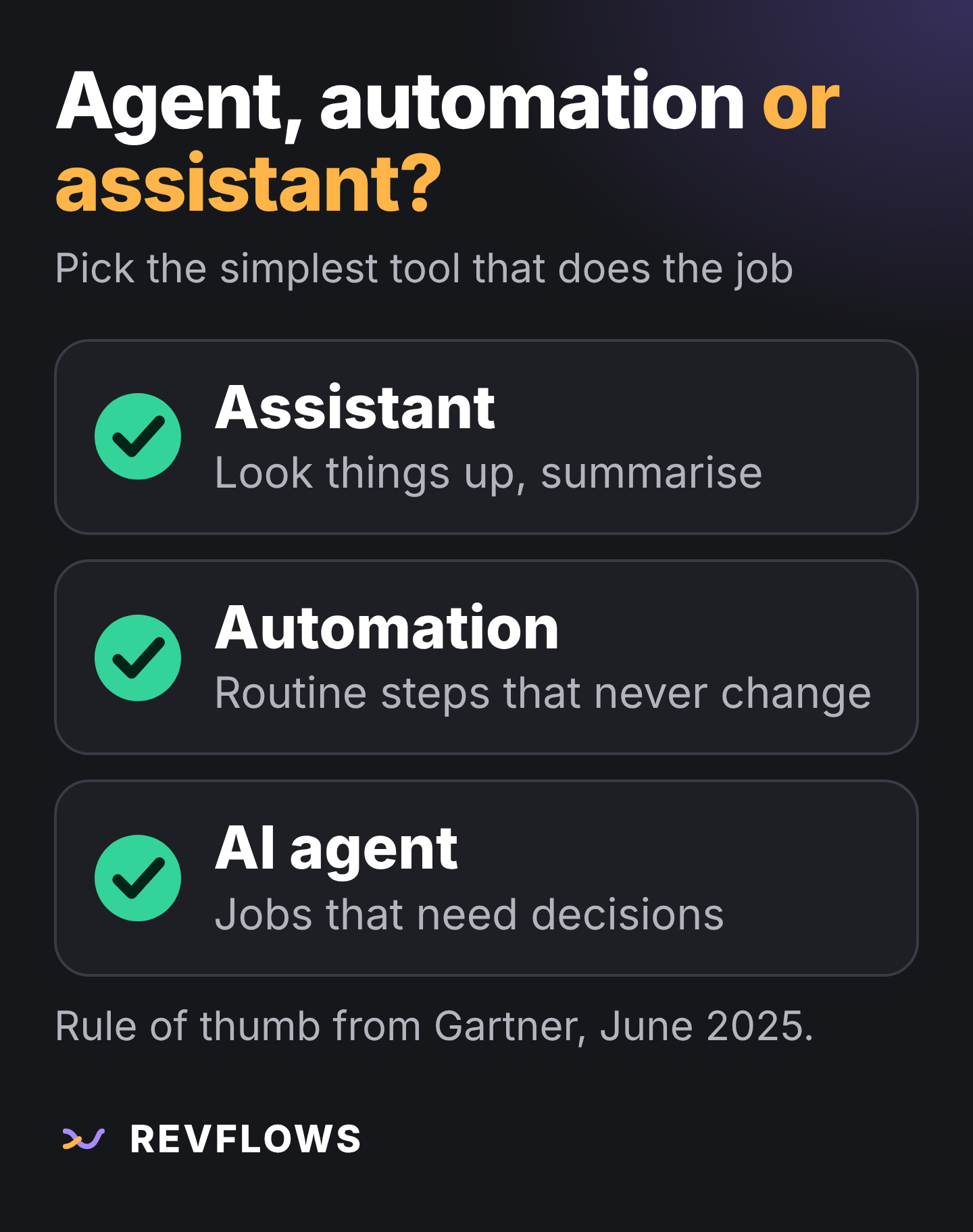
The same Gartner release predicts over 40% of agentic AI projects will be canceled by the end of 2027, because of rising costs, unclear business value or weak risk controls. It also warns about “agent washing”: vendors relabelling old chatbots and automation as agents. Gartner estimates only about 130 of the thousands of agentic AI vendors are real.
Anthropic, which makes the Claude models, gives builders the same advice in Building effective agents: find the simplest solution possible, and only add complexity when needed. Sometimes that means no agent at all.
So the rule for a small business: if fixed steps can do the job, use plain automation. Use an agent where the job really needs judgement. If you are new to this, our 30-day plan for AI automation in a small business is the better place to start.
7 jobs worth handing to an AI agent first
These jobs share four traits: they repeat every day or week, they need some judgement, the inputs are digital, and a mistake can be caught before it hurts.
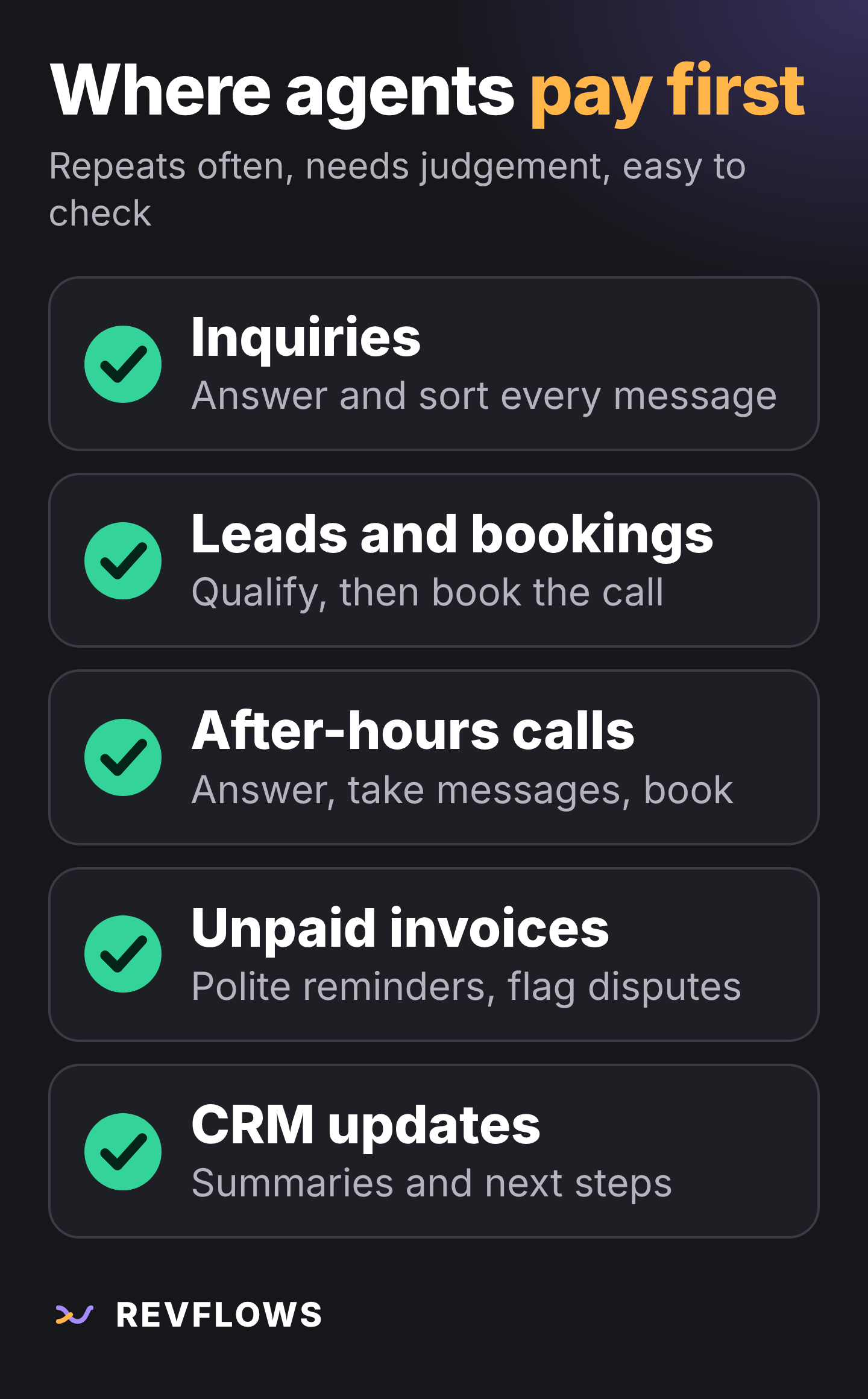
1. Answer and sort new inquiries
The agent reads every email, form and chat message, works out what the person wants, replies with the right information, and sorts it by service and urgency. Anything unusual goes to a person.
Why first: inquiries arrive at all hours, and the business that replies first often wins. Most questions repeat: prices, availability, location, what’s included.
2. Qualify leads and book calls or appointments
The agent asks the questions your team would ask (budget, timing, what they need), checks the calendar, and books the right person or treatment. Clinics, agencies and B2B services feel this one fastest.
Guardrail: give it your real booking rules and prices. It should never promise a slot or a price it can’t see.
3. Answer the phone after hours
An AI receptionist answers calls your team misses, handles common questions, takes messages and books appointments. For clinics, hotels and trades, evenings and weekends are when many people call.
Guardrail: a clear handover to a person for anything urgent, and no medical, legal or financial advice.
4. Chase unpaid invoices
The agent checks which invoices are overdue, sends polite reminders in your tone, answers simple questions (“can you resend it?”), and flags anyone who disputes the bill.
Guardrail: it reminds and resends. A person decides on discounts, payment plans and anything that sounds like a complaint.
5. Keep the CRM up to date
After each call or email thread, the agent writes a short summary, updates the deal stage and sets the next follow-up. Your CRM stays current without anyone typing.
Guardrail: it can add and update. Deleting records stays with people.
6. Ask for reviews and draft replies
The agent sends a review request after each visit, stay or purchase, to every customer in the same way, and drafts replies to new reviews for a person to approve.
Guardrail: Google’s review rules ban asking only happy customers and paying for reviews. Ask everyone, the same way.
7. Build the weekly report
Every Monday, the agent pulls the numbers from your booking system, shop, ads and email tool, and sends a short summary: what went up, what went down, what to look at.
Why it works: it saves an hour of copying numbers, and it’s low risk because it only reads data.
The guardrails that keep agents safe
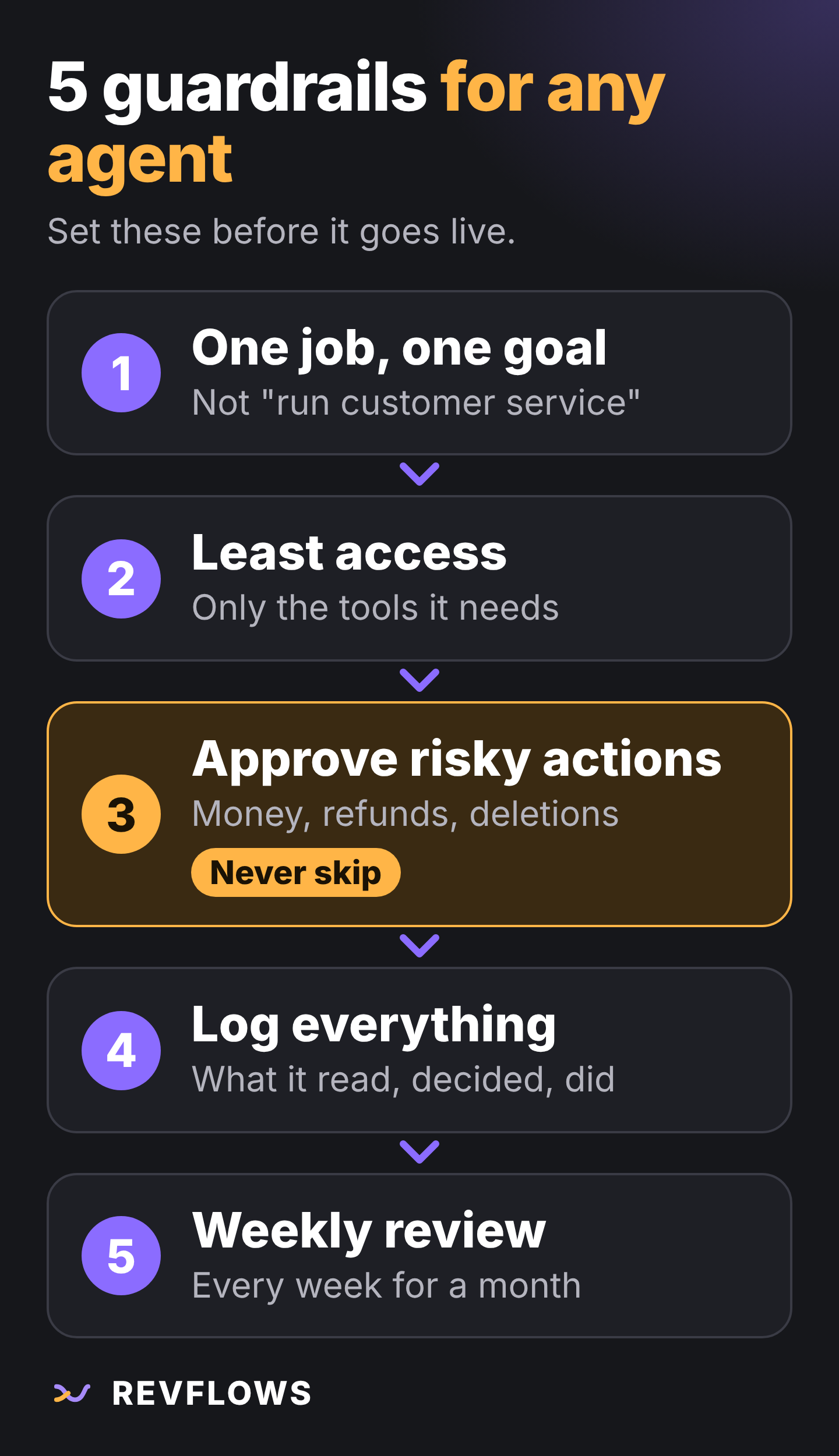
- One job, one goal. “Answer and sort inquiries”, not “run customer service”.
- Least access. Only the tools the job needs, read-only where possible.
- Approval before risky actions. Anything to customers at first, plus money, refunds, deletions, and medical or legal topics.
- A log of everything. What it read, what it decided, what it did.
- A weekly review. Read the log for the first month. Loosen approvals only where it’s been right every time.
Most agents connect to your tools through connectors, and many now use a shared standard for this. Read what an MCP server is to understand how that works and what to check before you connect one.
Where agents run
You have three realistic options:
- Agents built into tools you already use. Many CRMs, help desks, booking systems and email tools now include one. Easiest start, limited to that tool.
- Automation platforms with agent features. Zapier, Make and n8n let you build agents that work across several tools. Our comparison of n8n, Zapier and Make helps you choose.
- A custom setup. Built for your exact process and tools, by your team or a partner. More work up front, more control.
How to hand your first job to an AI agent: 6 steps
1. Pick one job with a clear goal. Write down what done looks like, such as every inquiry answered within 10 minutes.
2. Write the rules a new employee would need. What it may and may not do, tone, prices, policies, and when to hand over.
3. Give it the least access it needs. Only the tools the job uses, read-only where possible.
4. Keep a human approval step. For customer messages at first, and always for money, refunds, deletions and sensitive topics.
5. Test it on real past cases. Run 20 to 50 through it and fix the rules where it goes wrong.
6. Go live, then review weekly. Read the log for a month before you loosen anything.
What it costs, and how to judge it
Prices vary widely: some agents are included in software you already pay for, others are priced per seat, per conversation or per task, and custom agents add a setup cost.
Judge it the same way you’d judge a hire: hours saved, response times, and mistakes caught, against the monthly cost. If an agent doesn’t beat a simple automation on those numbers, switch to the automation.
AI is already normal for small firms. Intuit’s latest QuickBooks Small Business Insights survey found 87% of US small and midsize businesses now use AI regularly. The gap is no longer access. It’s knowing which jobs to hand over, and how to supervise them.
Common mistakes
- Starting with “an agent for everything”. Broad goals give unpredictable results.
- Full access on day one. An inquiry agent doesn’t need your accounting system.
- No handover rule. Customers get stuck in a loop with a bot that can’t help.
- Buying “agent-washed” tools. If it follows a fixed script, it’s a chatbot or an automation. Price it like one.
- Never reading the log. Problems hide in the conversations nobody checks.
Our view
- Automation first, agents second. Most of the hours are in fixed-step automation. Add an agent where judgement is needed.
- One agent, one job, one owner. Someone on your team is responsible for what it does.
- Earn autonomy. Start with approvals on, and remove them only with evidence. How agentic AI differs from traditional automation is coming in agentic AI vs traditional automation.
Put your first agent to work
Want an AI agent answering inquiries and booking calls, with you in control? We build agents and automations around your tools and rules, with approvals, logs and weekly reports built in.
Questions
What is an AI agent for a small business?
An AI agent is software that is given a goal and access to some of your tools, and decides its own steps to reach that goal. For example, it can read a new inquiry, look up your prices and calendar, reply with options and book the call, handing over to a person when it is unsure.
What is the difference between an AI agent and automation?
Automation follows fixed steps you design: when a form comes in, add a row and send an email. An AI agent decides its own steps toward a goal and can handle messier, varied situations. Gartner's advice is to use agents when decisions are needed, automation for routine workflows and assistants for simple retrieval.
What jobs can AI agents do for a small business?
Good first jobs are answering and sorting inquiries, qualifying leads and booking calls, answering calls after hours, chasing unpaid invoices, updating the CRM after calls and emails, asking for and replying to reviews, and pulling together weekly reports.
Are AI agents safe to use?
They can be, with guardrails: one clear job, the least access it needs, a human approving anything risky, a log of every action and a weekly review. Problems usually come from giving an agent broad access with no checks.
How much do AI agents cost for a small business?
It varies with the tool and how much it runs. Some agents come built into software you already pay for, others are priced per seat, per conversation or per task, and custom agents cost a setup fee plus running costs. Compare the monthly cost with the hours it saves.